Configuring Your Router
Wireless 5G(wl0) & 2.4G(wl1) – MAC Filter
BEC 8920AC User Manual
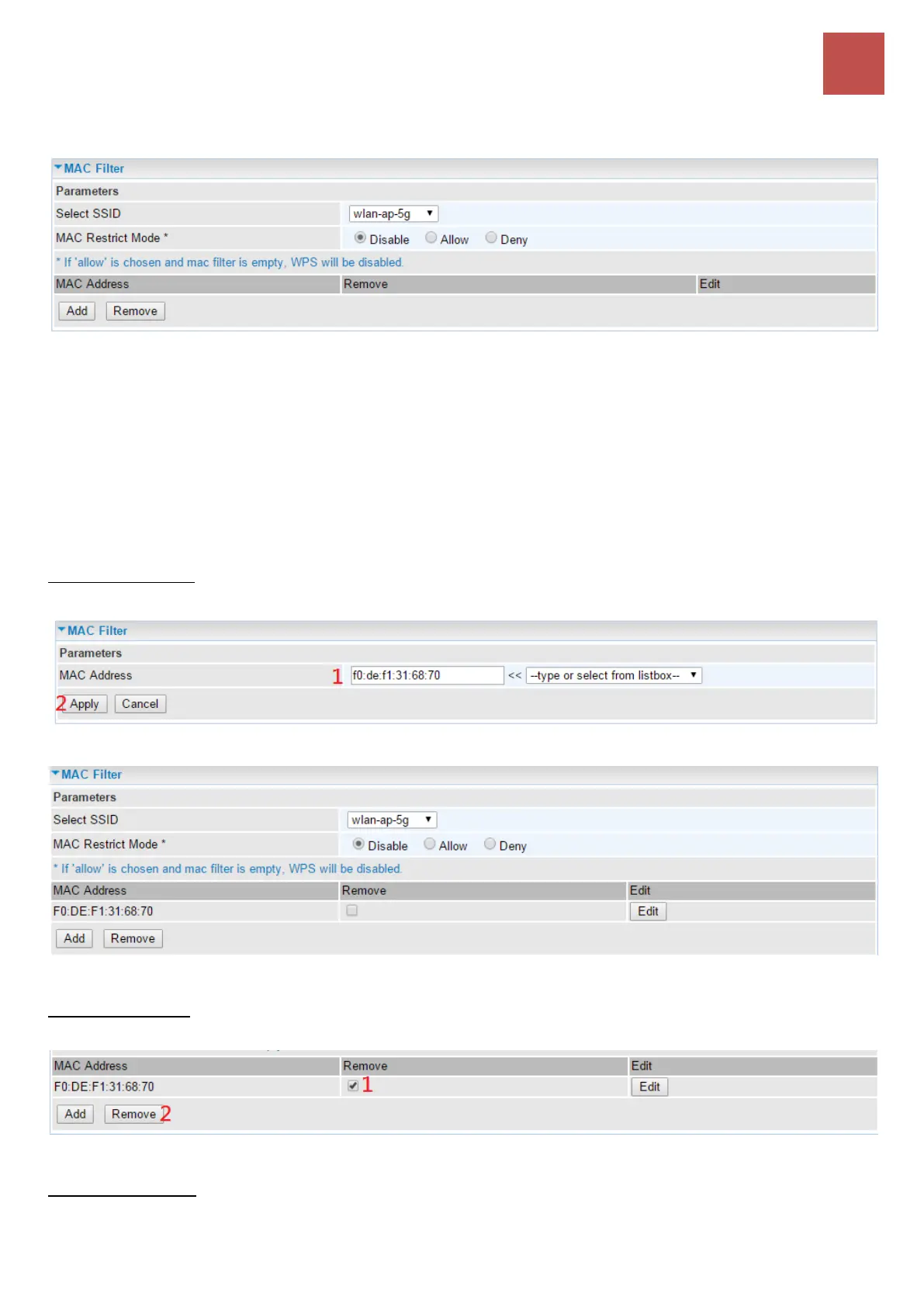
MAC Filter
Select SSID: select the SSID you want this filter applies to.
MAC Restrict Mode:
Disable: disable the MAC Filter function.
Allow: allow the hosts with the following listed MACs to access the wireless network.
Deny: deny the hosts with the following listed MACs to access the wireless network.
Click Add to add a new MAC
To add new MAC, enter MAC address of a device using one of these formats, xx:xx:xx:xx:xx:xx or
xx-xx-xx-xx-xx-xx.
Click Apply to apply your settings and the item will be listed under MAC Filter section
To delete entries, simply click the checkbox of the unwanted MAC address then click Remove to
delete an entry.
To make changes, click Edit of a MAC address to reconfigure the MAC as needed.



 To Next Page