Configuring Your Router
Advanced Setup – Routing (Policy Route)
BEC 8920AC User Manual
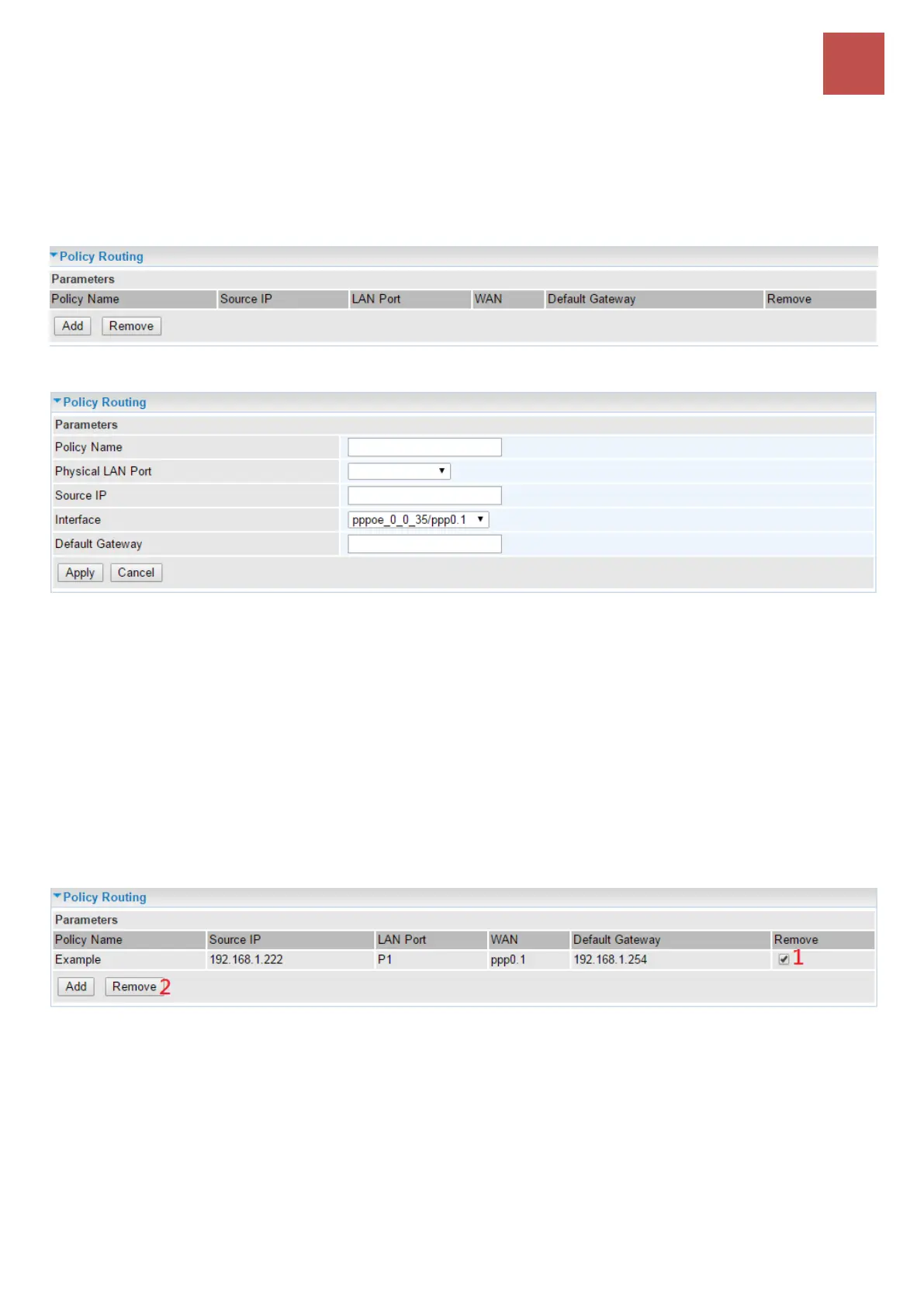
Policy Routing
Here users can set a route for the host (source IP) in a LAN interface to access outside through a
specified Default Gateway or a WAN interface.
The following is the policy Routing listing table.
Click Add to create a policy route.
Policy Name: Given a name to this new policy rule.
Physical LAN Port: Select the LAN port.
Source IP: Enter the Host Source IP.
Interface: Select the WAN interface which you want the Source IP to access outside through.
Default Gateway: Enter the default gateway which you want the Source IP to access outside through.
Click Apply to apply your settings. And the item will be listed in the policy Routing listing table.
To remove an entry, click the check-box of the unwanted entry then click Remove to delete it.



 To Next Page