Configuring Your Router
System – Firmware Upgrade
BEC 8920AC User Manual
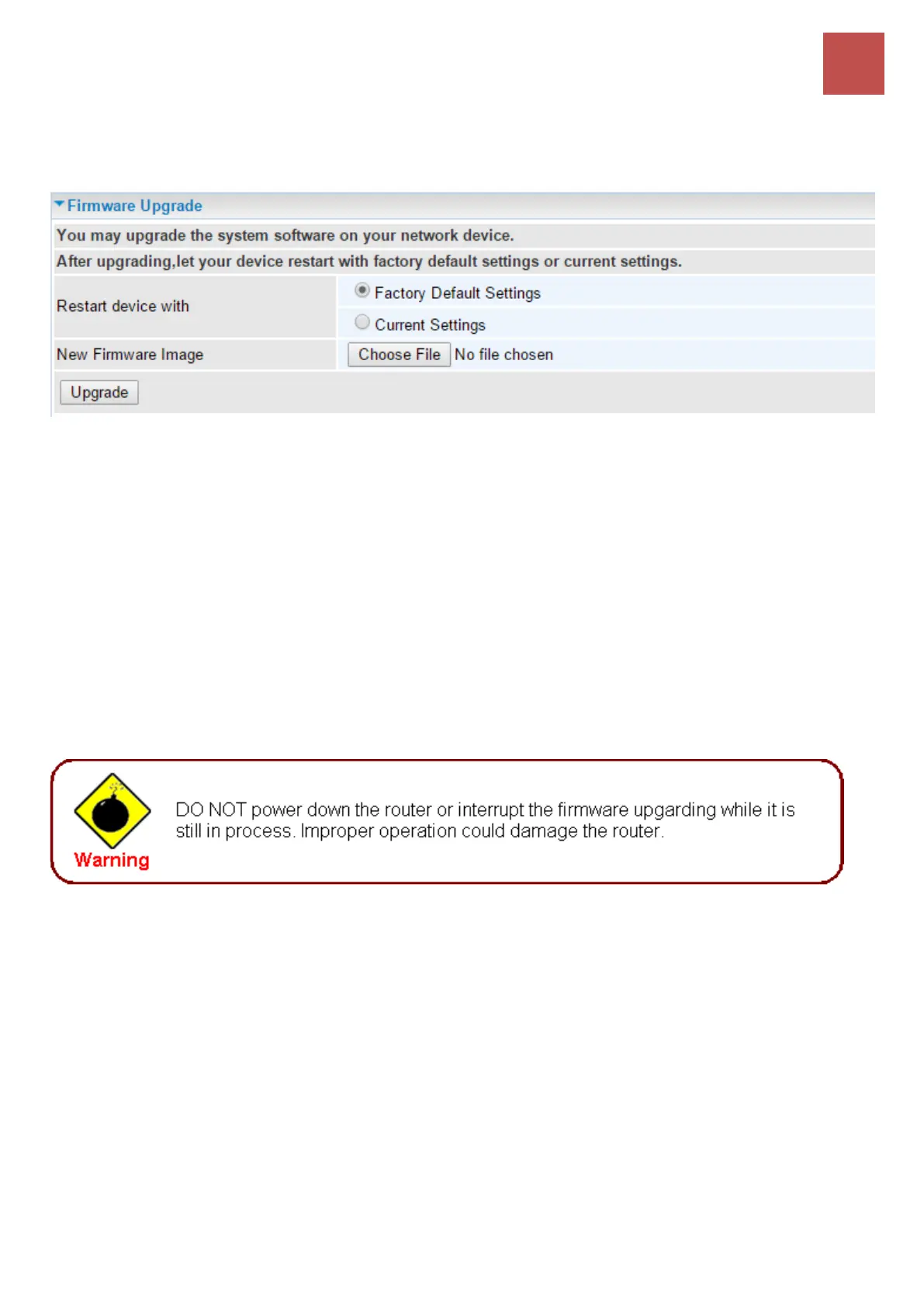
Firmware Upgrade
Software upgrading lets you experience new and integral functions of your router.
Restart device with:
Factory Default Settings: Restart the device with factory default settings automatically when
finishing upgrading.
Current Settings: Restart the device with the current settings automatically when finishing
upgrading.
Your router’s “firmware” is the software that allows it to operate and provides all its functionality.
Think of your router as a dedicated computer, and the firmware as the software it runs. Over time this
software may be improved and revised, and your router allows you to upgrade the software it runs to
take advantage of these changes.
Clicking on Browse will allow you to select the new firmware image file you have downloaded to your
PC. Once the correct file is selected, click Upgrade to update the firmware in your router.



 To Next Page