Product Overview
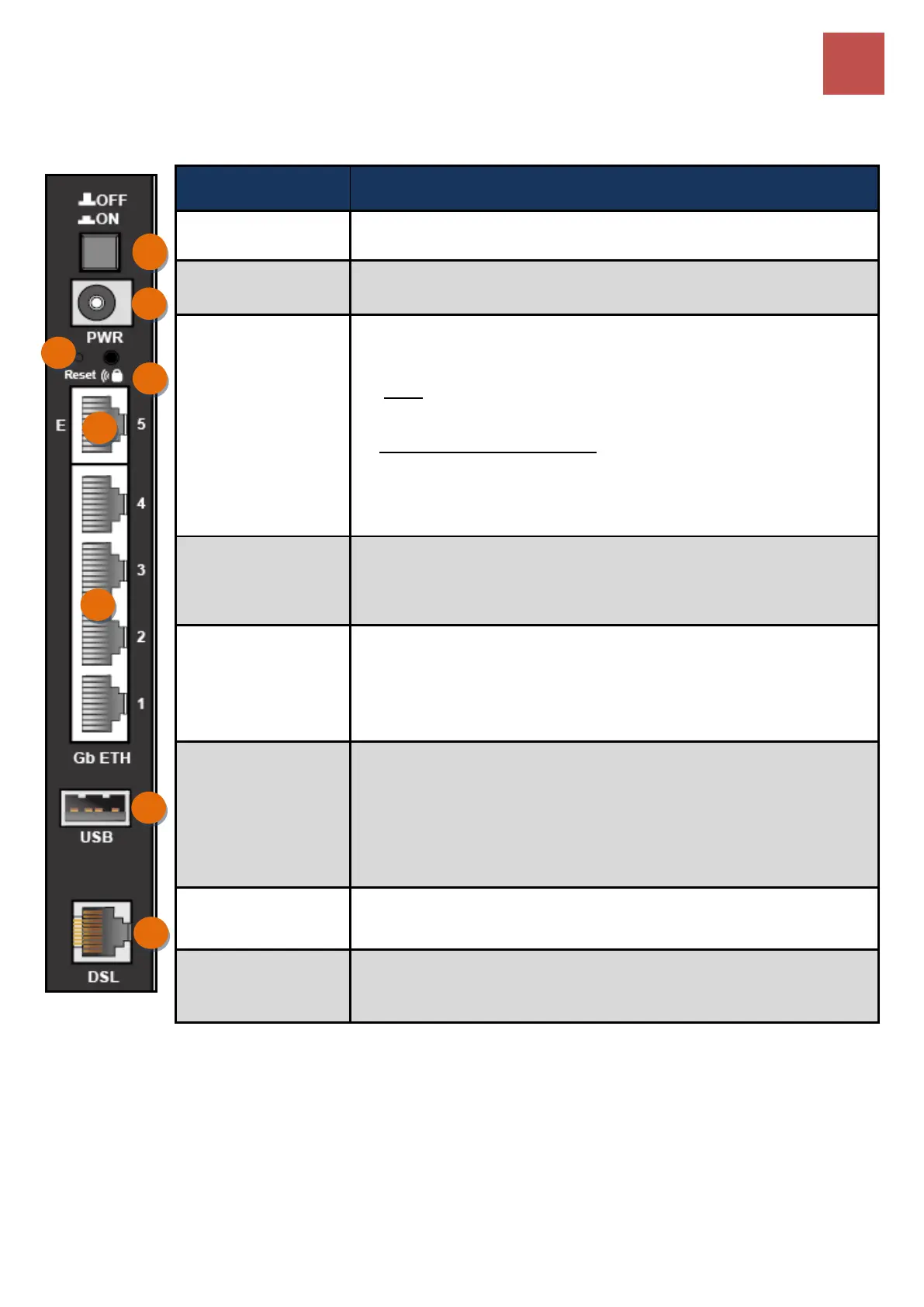
Rear Panel Connectors
BEC 8920AC User Manual
Rear Panel Connectors
Connect the supplied Power Adapter to this port.
By controlling the pressing time, users can achieve two different
effects:
(1) WPS
*
: Press &hold the button for less than 6 seconds to trigger
WPS function.
(2) Wireless ON/OFF button: Press & hold the button for more
than 6 seconds to On/Off the wireless.
* For detailed WPS configuration, please refer to the WPS section in
this User Manual.
Push and hold the reset button for five (5) seconds to restore to its
factory default settings (this is used when you cannot login to the
router, e.g. forgot your password)
Connect to Fiber/ Cable/ xDSL Modem with a RJ-45 cable, for
broadband connectivity.
Note: LAN 5 automatically becomes an EWAN port when EWAN
internet interface is being selected in the GUI
Connect PCs, Laptops or any other office/home LAN devices with
the supplied RJ-45 Ethernet cable (Cat-5 or Cat-5e) to any of the five
LAN ports.
Note: Port 5 is a LAN / WAN Configurable Port.
Connect with a 3G or 4G/LTE USB adapter/dongle for mobile
connectivity.
Connect the device to an ADSL/VDSL telephone jack or splitter
using a RJ-11 telephone cable / Y-Cable for xDSL bonded



 To Next Page