Configuring Your Router
WAN – Failover
BEC 8920AC User Manual
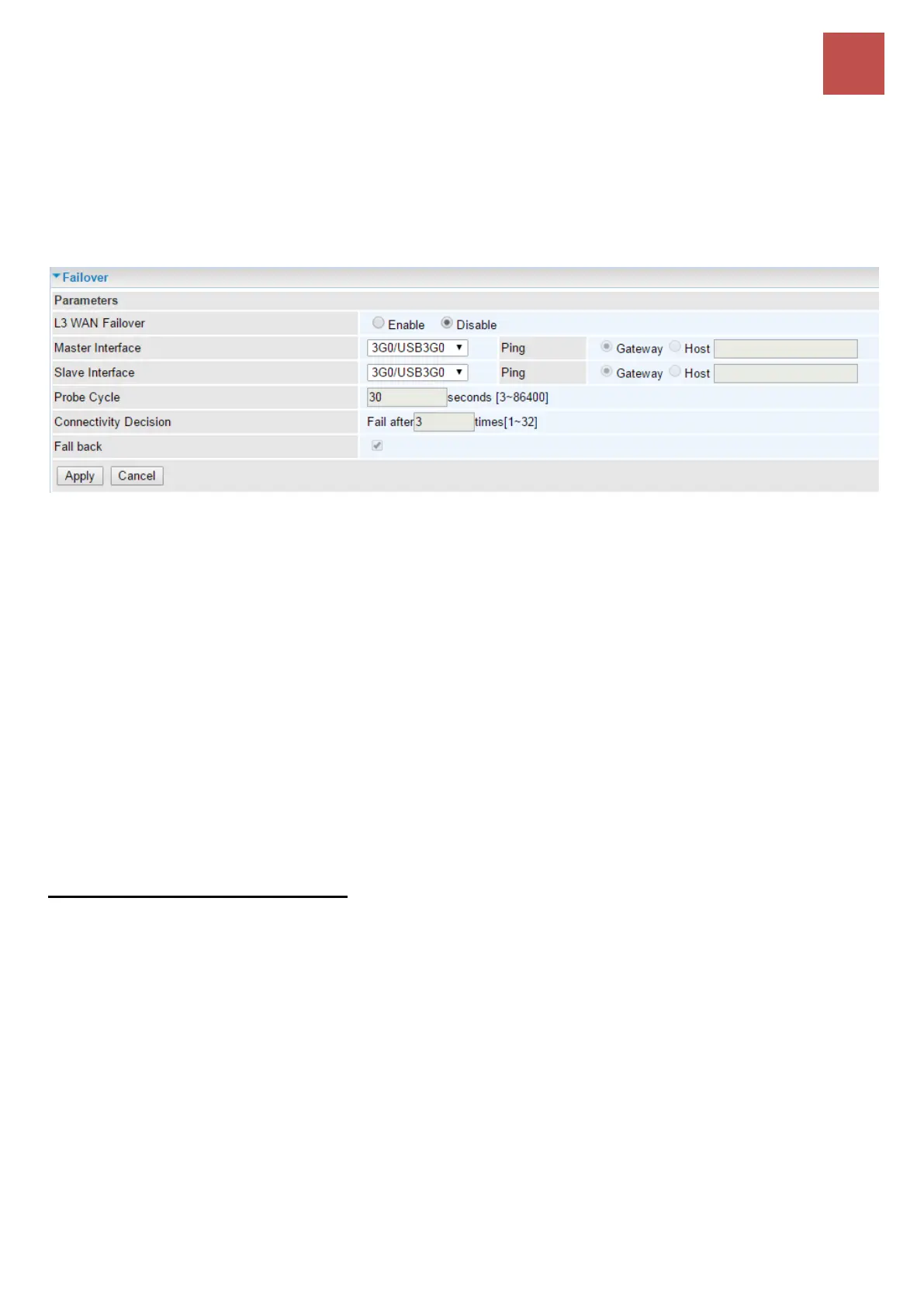
Failover
WAN Failover works in conjunction with two (2) WAN Interfaces and provides always-on Internet
connectivity.
When BEC 8920AC detects WAN failure on Primary WAN link, seamlessly, all traffic will get routed to
the Secondary WAN interface as backup WAN port.
L3 WAN Failover: Enable to activate the feature
Mater Interface (Primary WAN): Choose a primary WAN from the drop-down box which contains
available WAN interfaces configured in the WAN Service
Slave Interface (Secondary WAN): Choose a secondary WAN link as a backup WAN.
Ping: Here are two test methods to check Internet connectivity.
Gateway: System sends ping packet to gateway and wait for response from the gateway in
every “Probe Cycle” in seconds.
Host: Specify a host IP address in the given space. The system pings the specified host and
wait for its response in every “Probe Cycle” in seconds.
Probe Cycle: Specify failover interval in seconds.
Connectivity Decision: Specify Ping failure threshold in every Probe Cycle to switch to backup WAN
link.
Fallback: Enable to automatically reconnect to the primary WAN link when connectivity is restored.
Automatically WAN Failover Rule:
Rule 1: ADSL or VDSL connection fail
Rule 2: Ping Fail when exceed the number of consecutive failures in specific failover interval.
Example: If Ping to either the gateway or host IP with no responses in 30 seconds (Probe Cycle) for 3
consecutive times (Connectivity Decision), 8920AC will assume primary link is down then switch to
secondary WAN link as backup interface.



 To Next Page