Configuring Your Router
WAN – 3G/4G LTE USB Connection Setup
BEC 8920AC User Manual
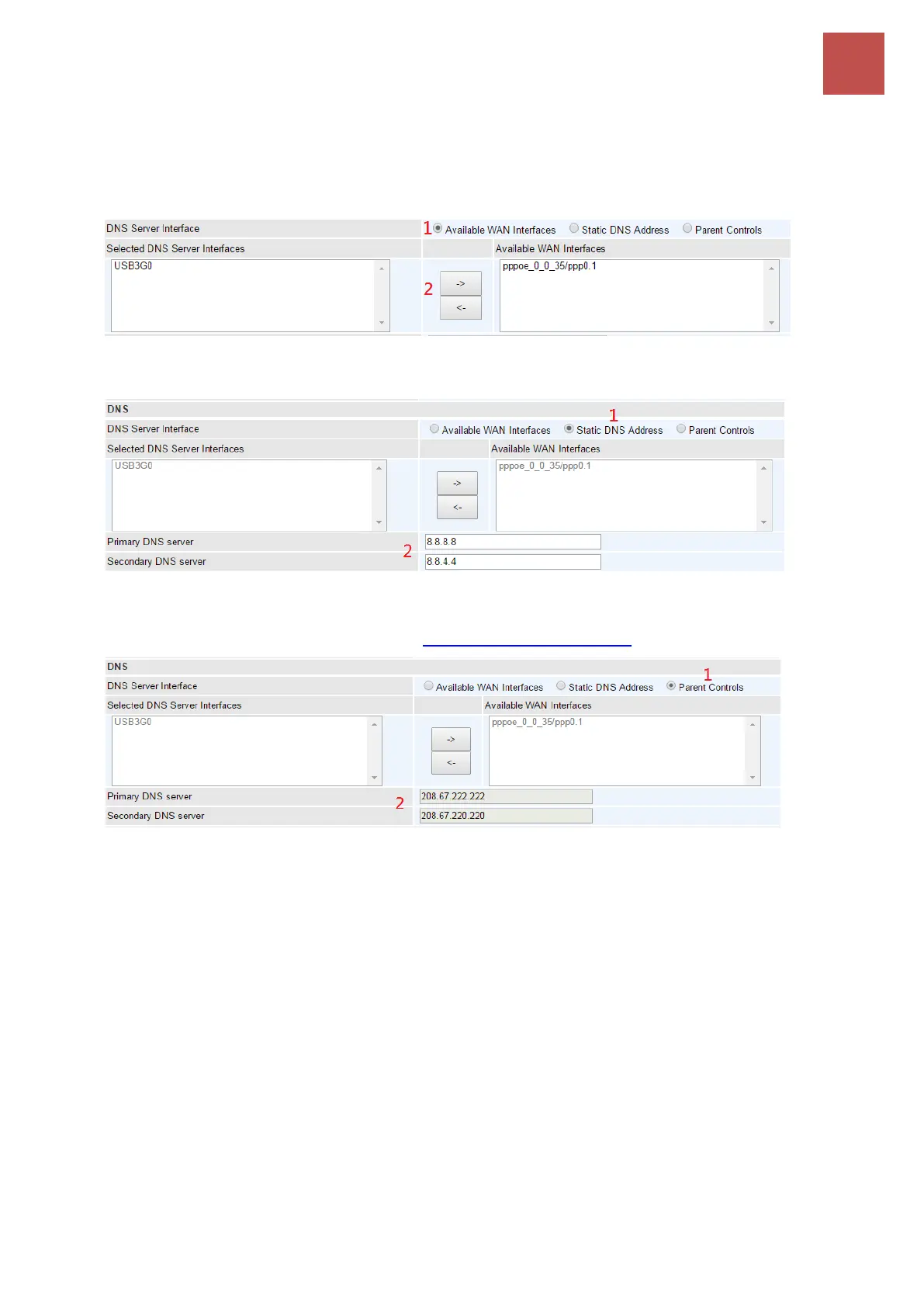
1. Available WAN interfaces: Select a desirable WAN interface from Available WAN Interface
box then using the left-arrow sign () to move it to the Selected DNS Server Interface box
To remove interface(s) from Selected DNS Server Interface box, simply click the unwanted
interface then use the right-arrow sign () to re move it.
2. Static DNS Address: To specify DNS server manually by entering your primary and secondary
DNS server addresses.
3. Parental Controls: If user registers and gets a DNS account in the parental control provider
website, expecting to enjoy a more reliable and safer internet surfing environment, please
select this option (need to configure at Parental Control Provider).
Click Apply to save the settings.



 To Next Page