Configuring Your Router
NAT – Exceptional Rule Group
BEC 8920AC User Manual
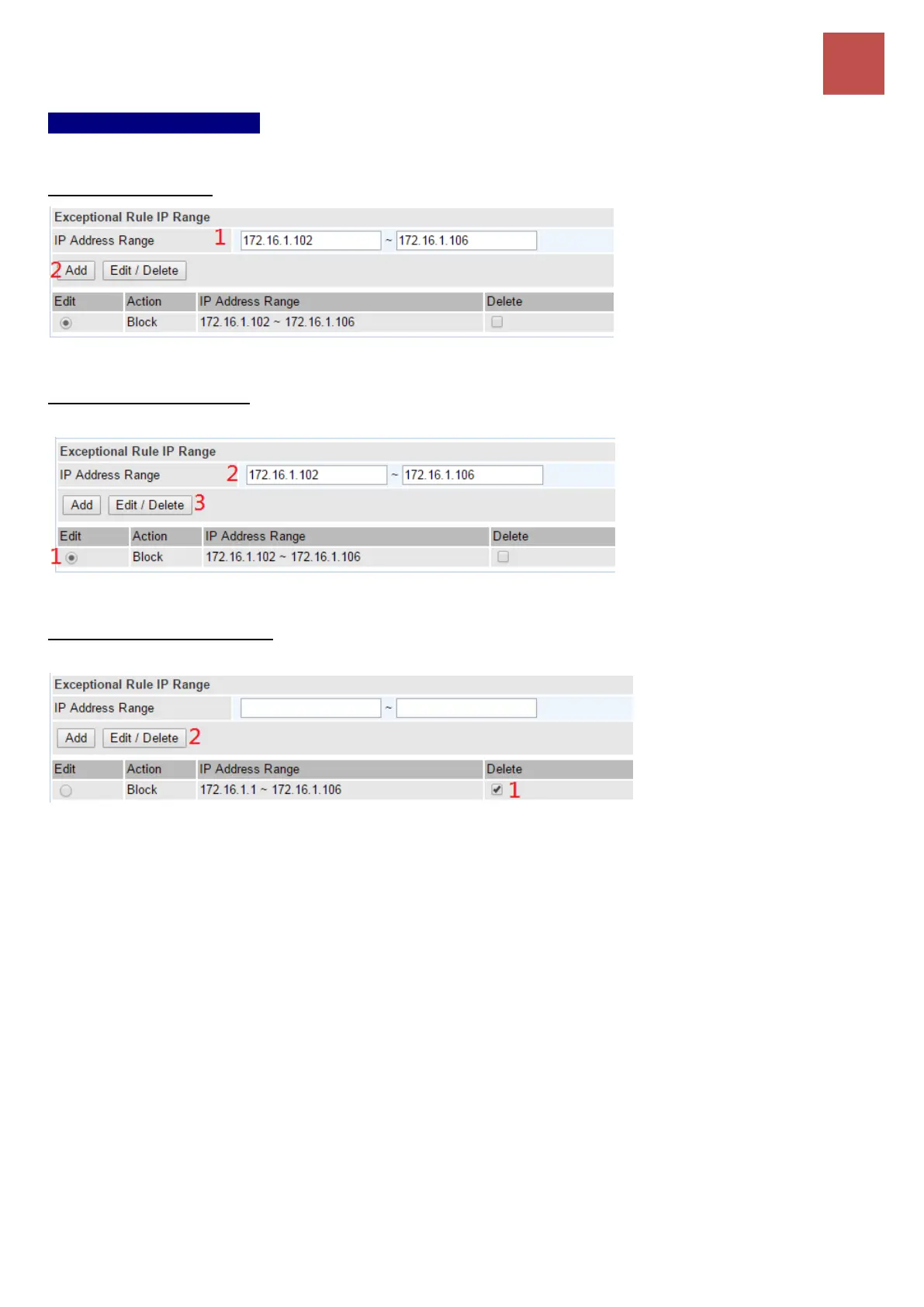
Exceptional Rule Range
IP Address Range: Specify the IP address range; IPv4 address range can be supported.
To Add a new entry: Click Add to create a new IP or IP Range.
To Edit an existing entry: Click Edit radio button of the entry you want to edit, then click Edit / Delete
button to make changes
To Delete an existing entry: Click Delete check-box of the entry you want to delete, then click Edit /
Delete to remove it.



 To Next Page