Configuring Your Router
Advanced Setup – UPnP (Example)
BEC 8920AC User Manual
Example: Installing UPnP in Windows
In Window ME.
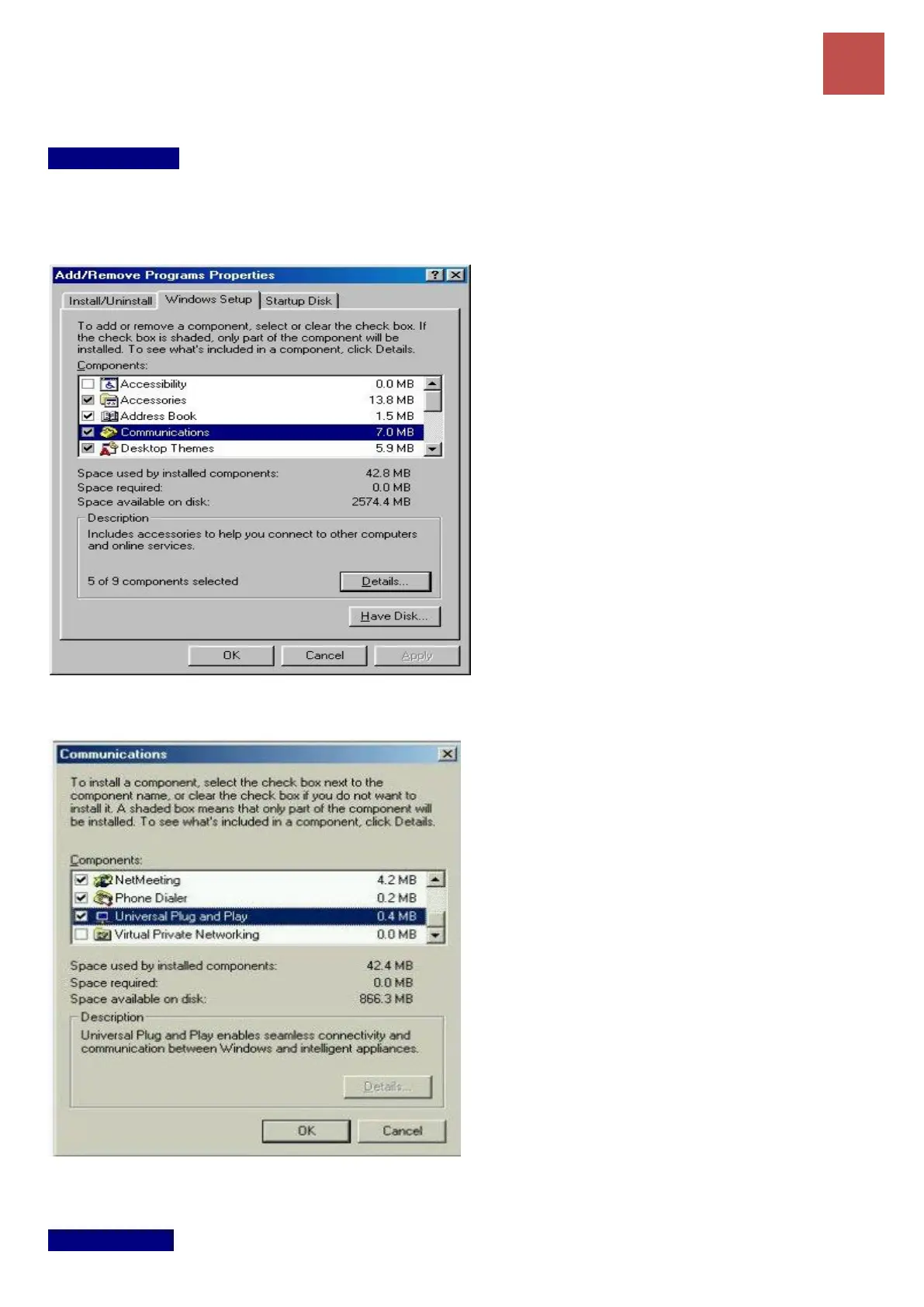
Step 1: Click Start and Control Panel. Double-click Add/Remove Programs.
Step 2: Click on the Windows Setup tab and select Communication in the Components selection box.
Click Details.
Step 3: In the Communications window, select the Universal Plug and Play check box in the
Components selection box.
Step 4: Click OK to go back to the Add/Remove Programs Properties window. Click Next.
Step 5: Restart the computer when prompted.
In Window XP.



 To Next Page