Configuring Your Router
Advanced Setup – UPnP (Example)
BEC 8920AC User Manual
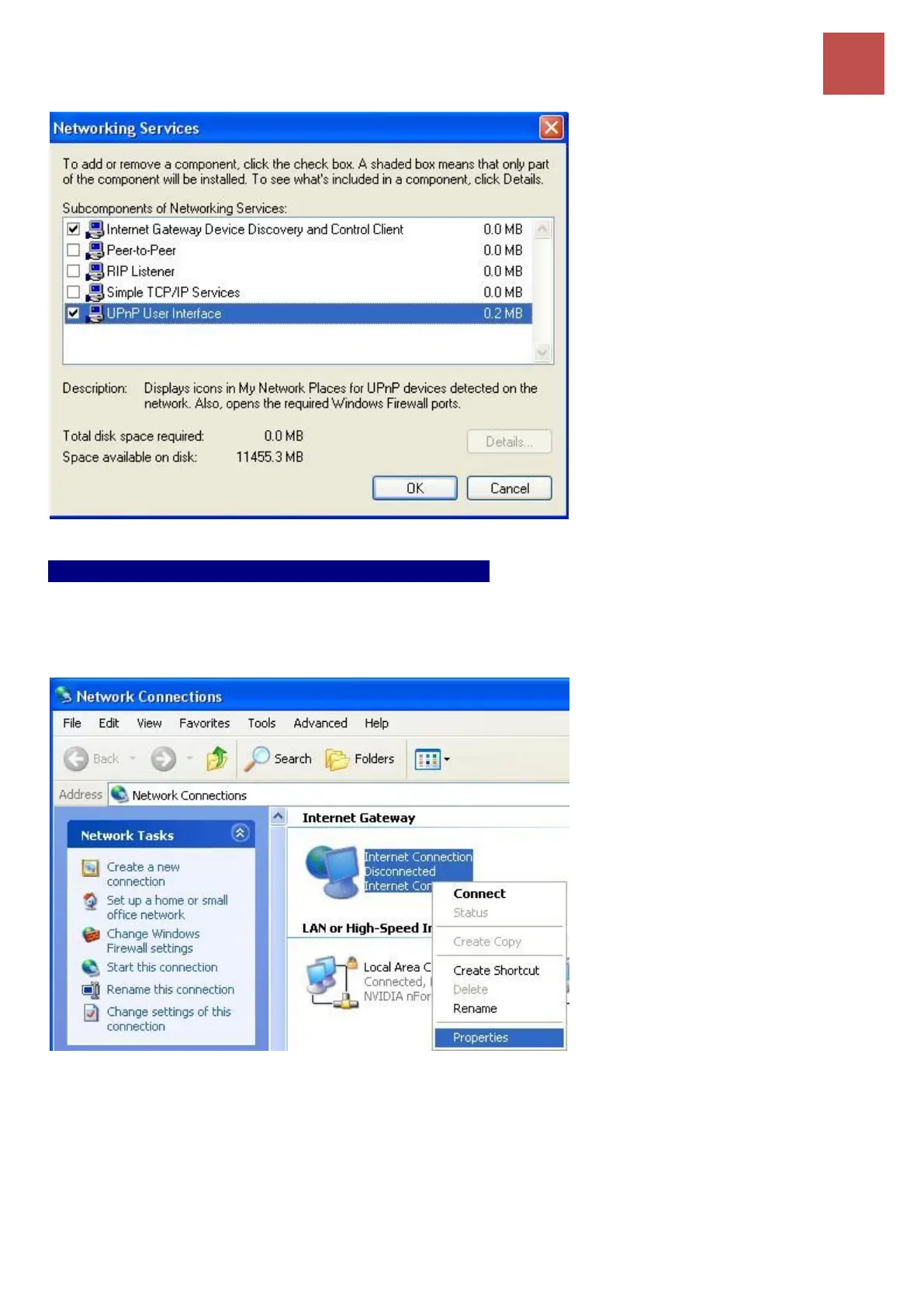
Auto-discover your UPnP-enabled network device
Step 1: Click start and Control Panel. Double-click Network Connections. An icon displays under
Internet Gateway.
Step 2: Right-click the icon and select Properties.
Step 3: In the Internet Connection Properties window, click Settings to see the port mappings that
were automatically created.



 To Next Page