Configuring Your Router
LAN – Ethernet
BEC 8920AC User Manual
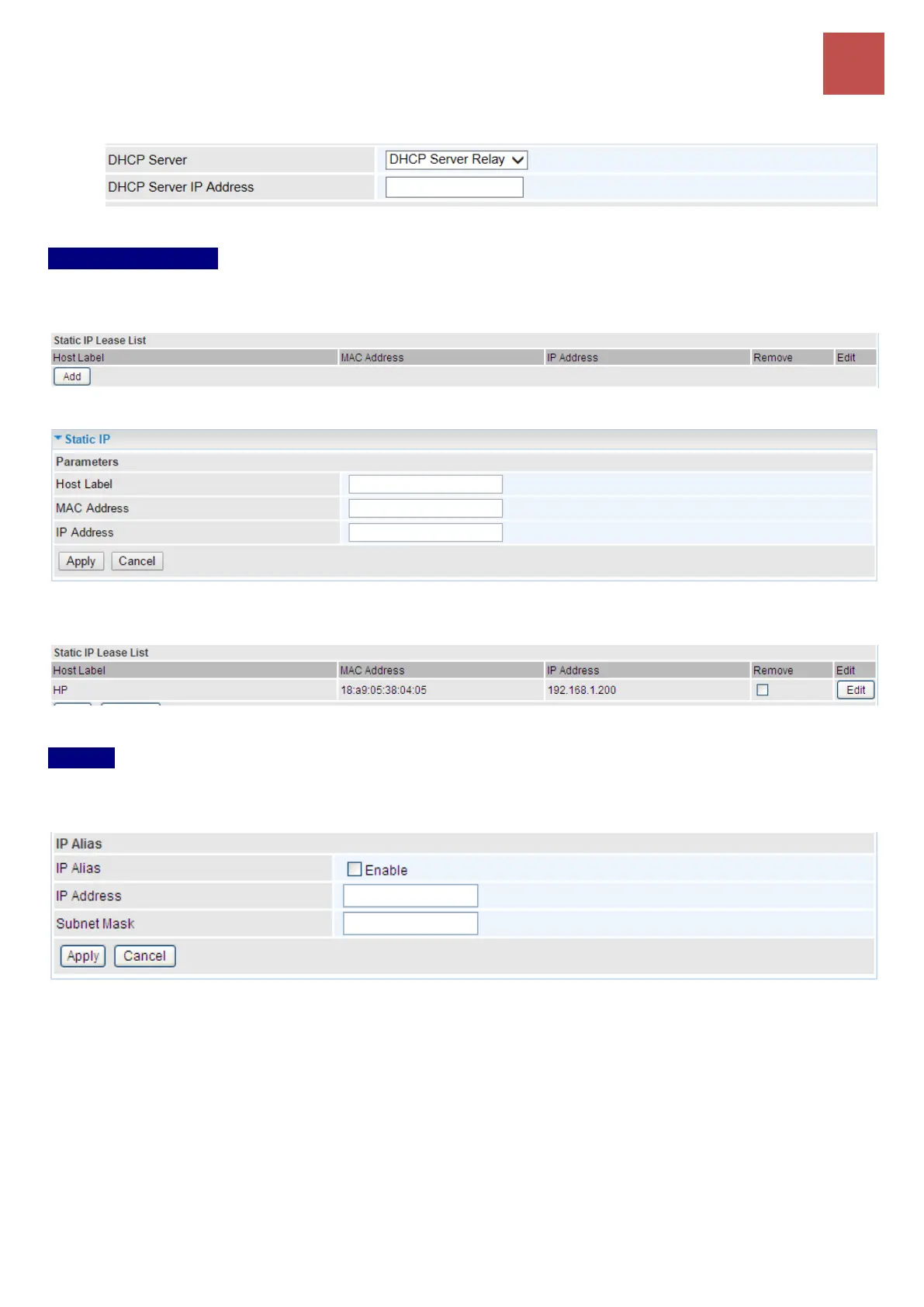
remote DHCP server in the Remote DHCP Server field in this case.
Static IP Lease List
The specified IPs will be assigned to corresponding LAN devices with exact MAC Address listed in
the following table.
Press Add to the Static IP List.
Enter a LAN device’s MAC Address, desired IP Address, and then click Apply to confirm the settings.
The assigned IP address must be outside of the Start / End DHCP Server range).
IP Alias
This function allows the creation of multiple virtual IP interfaces on this router. It helps to connect two
or more local networks to the ISP or remote nodes.
IP Alias: Check whether to enable this function.
IP Address: Specify an IP address on this virtual interface.
Subnet Mask: Specify a subnet mask on this virtual interface.
Click Apply to apply your settings.



 To Next Page