Configuring Your Router
Wireless 5G(wl0) & 2.4G(wl1) – Security
BEC 8920AC User Manual
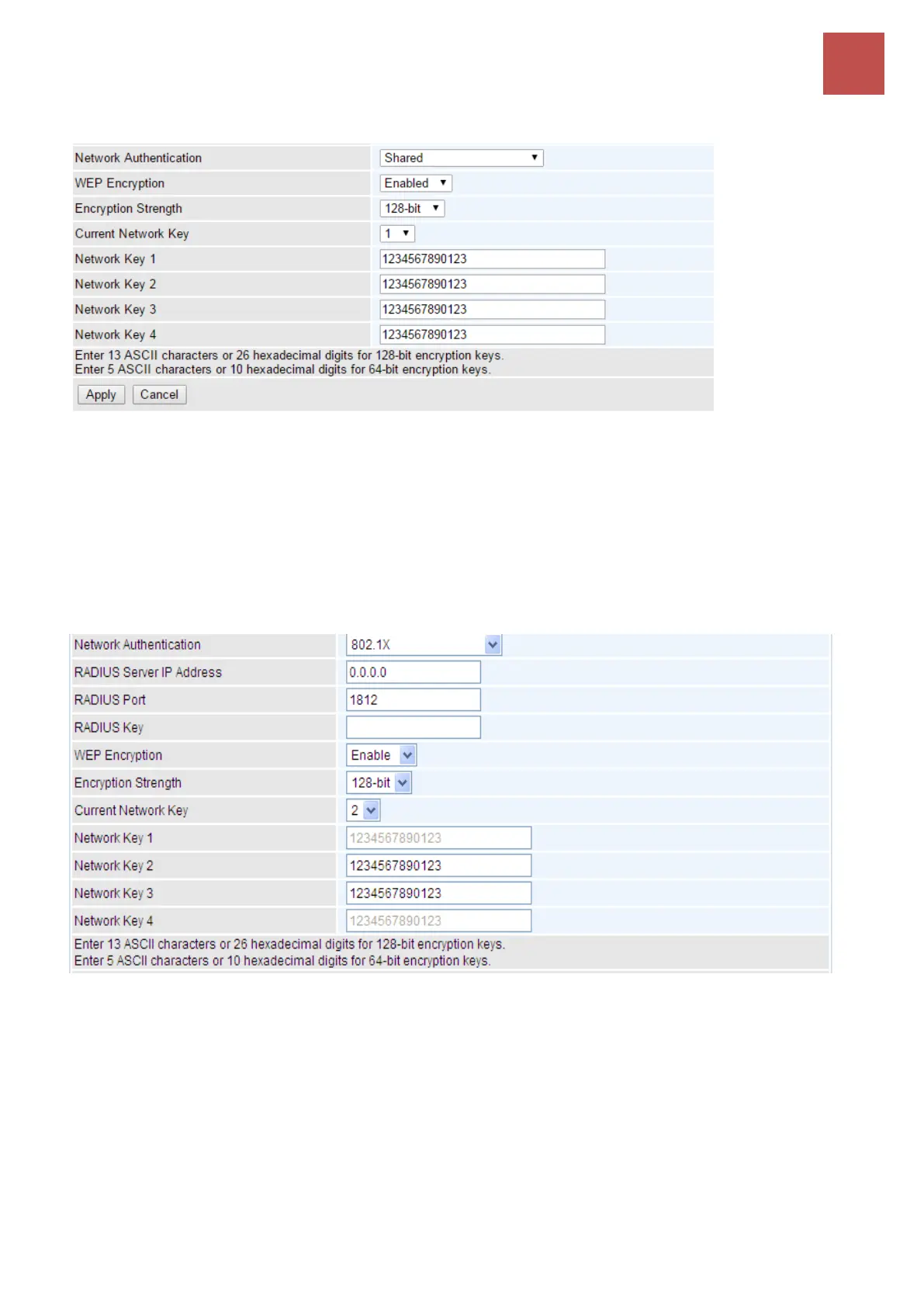
Shared / WEP Enabled
WEP Encryption: Select to enable or disable WEP Encryption. Here select Enable.
Encryption Strength: Select the strength, 128-bit or 64-bit.
Current Network Key: Select the one to be the current network key. Please refer to key 1- 4 below.
Network Key (1~4): Enter 13 ASCII characters or 26 hexadecimal digits for 128-bit encryption keys.
Enter 5 ASCII characters or 10 hexadecimal digits for 64-bit encryption keys.
802.1x
RADIUS Server IP Address: Remote Authentication Dial In User Service (RADIUS), Enter the
IP address of RADIUS authentication server.
RADIUS Server Port: Enter the port number of RADIUS authentication server here.
RADIUS Key: Enter the password of RADIUS authentication server.
WEP Encryption: Select to enable or disable WEP Encryption. Here select Enable.
Current Network Key: Select the one to be the current network key. Please refer to key 2- 3 below.
Network Key (1- 4): Enter 13 ASCII characters or 26 hexadecimal digits for 128-bit encryption keys.
Enter 5 ASCII characters or 10 hexadecimal digits for 64-bit encryption keys.



 To Next Page