Configuring Your Router
WAN – xDSL WAN Connection Setup (PPPoE)
BEC 8920AC User Manual
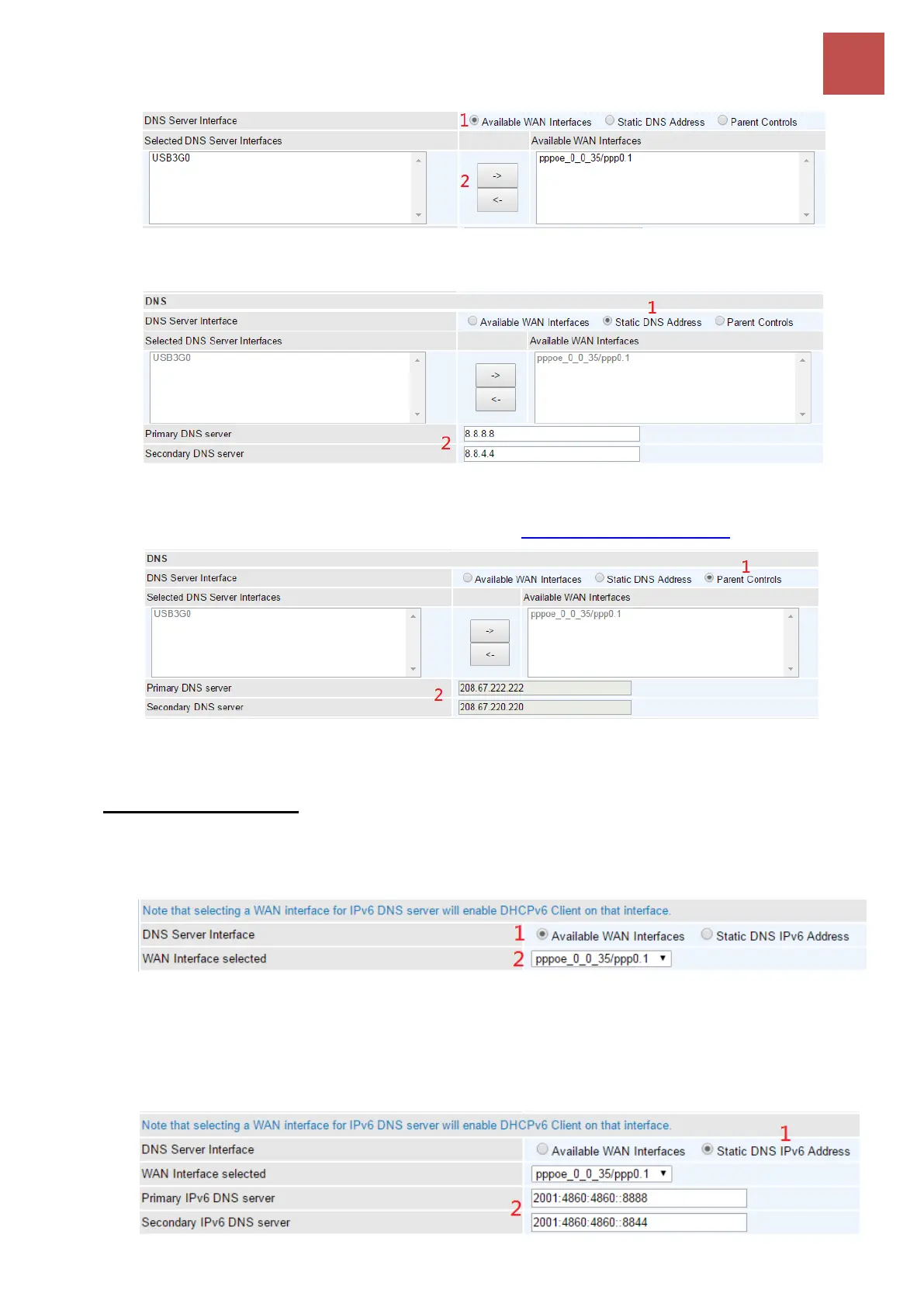
2. Static DNS Address: To specify DNS server manually by entering your primary and
secondary DNS server addresses.
3. Parental Controls: If user registers and gets a DNS account in the parental control
provider website, expecting to enjoy a more reliable and safer internet surfing environment,
please select this option (need to configure at Parental Control Provider).
IPv6
DNS Server Interfaces
1. Available WAN interfaces: If your Internet Service Provider assigns DNS server address
along with the WAN connection, please select an appropriated Ipv6 WAN interface from
DNS Server Interface.
2. Static DNS IPv6 Address: If your Internet Service Provide does not provide or you wish to
use other DNS servers for your network, simply manually enter other DNS server IP
address here:
Primary / Secondary IPv6 DNS Server: Enter the specific primary and secondary IPv6
DNS Server address.



 To Next Page