145
Sun protection
Control units
0 = Off
1 = Sensitive
9 = Insensitive
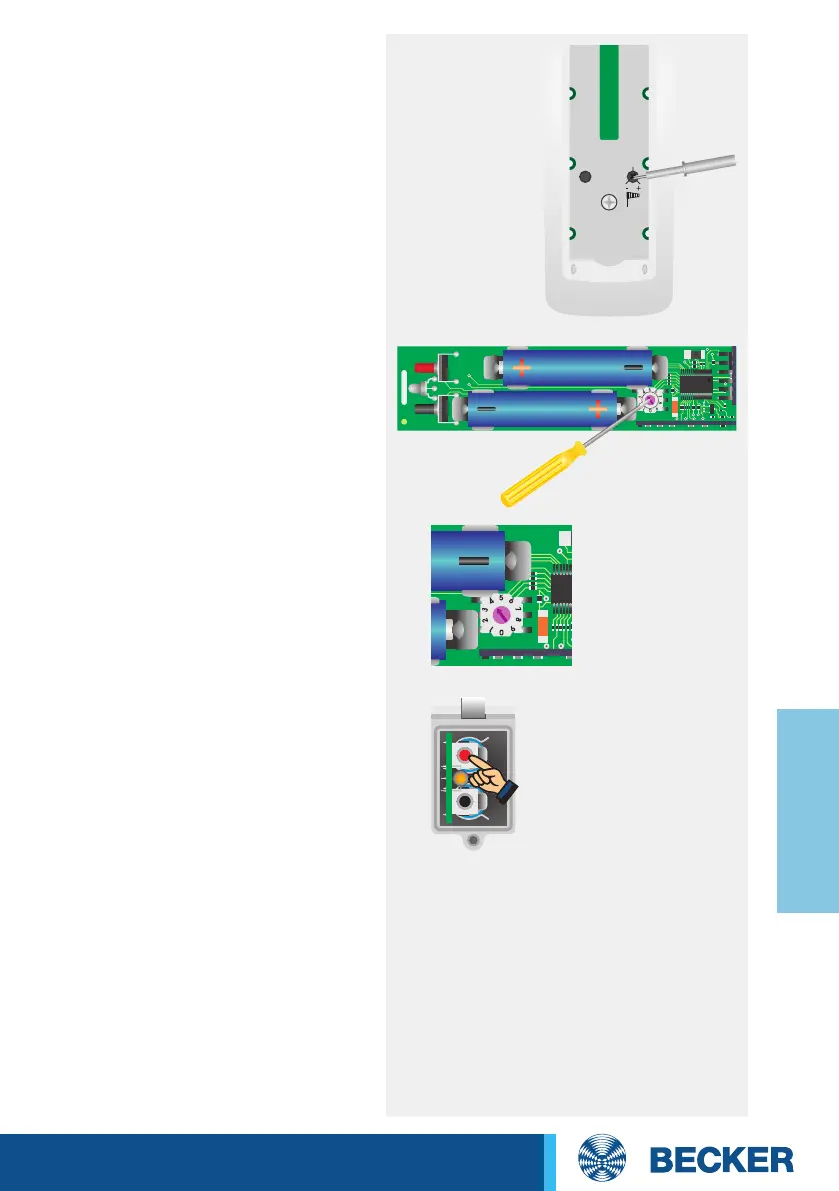
3. Setting the wind threshold
Use the tool provided to turn the
wind threshold regulator on the
SWC241-II to the desired setting.
The wind threshold has 11 possible
settings (approx. 2 m/s to 22 m/s).
When slowly turning the regulator,
the tubular drive clicks to indicate
the setting changes.
4. Setting the release angle
Use the tool provided to set the
release angle on the rotary switch of
the PCB.
5. Programming the release
angle
Run the awning to the Extend limit
position. After waiting for 15 seconds,
press the programming knob until,
after 6 seconds, the LED changes
from green to orange and back to
green
.




 To Next Page