31
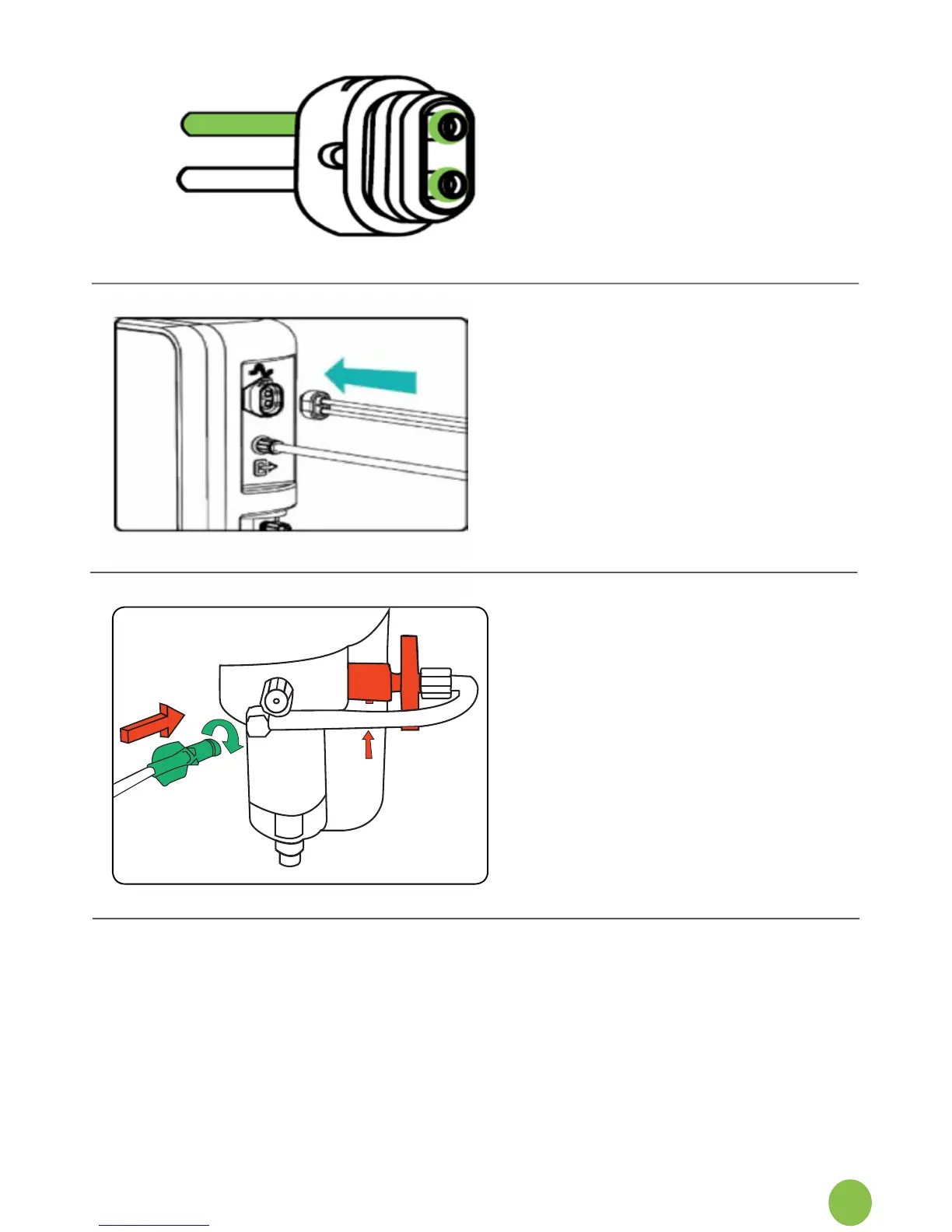
3. Identify the twin sensor line
connector.
4. Verifythatbotho-ringsare
present prior to connecting to the
NOxBOX
i
.
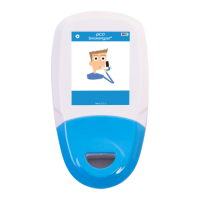
5. Push the sensor line connector
into the socket on the side of the
NOxBOX
i
monitor,thegreen
tube is uppermost.
6. Connector will click in place
whenlocked.Toassistinsertion,
the release button located on
the underside of the socket may
need depressed whilst attaching
connector.
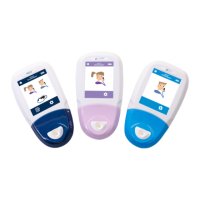
8. Connect sample line.
7. Unwrapthepatientlterand
attachthenewltertotherear
ofthewatertrap,byusingthe
quick release connector. Then
use the fastening luer lock to
completetheconnection.’


 To Next Page