-39- © BEKA 2019 All rights reserved!
10.2 Intermediate lubrication
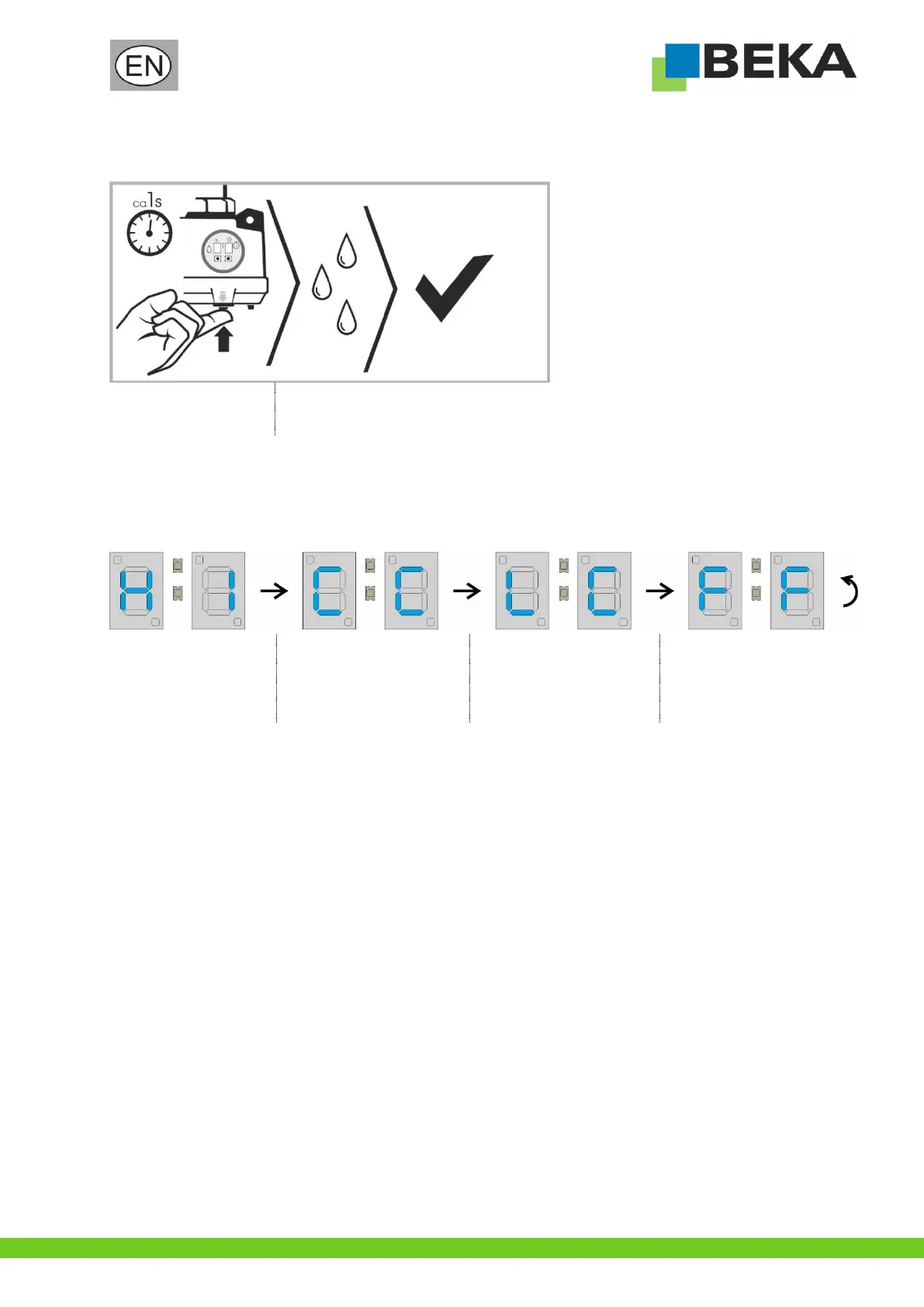
An intermediate lubrication can be triggered at any time at the device by pressing the push-button for intermediate lubrication:
Press push-button for
intermediate lubrication
briefly (approx. 1 s).
Device performs an intermediate lubrication.
The device continues to operate in the set lubrication cycle after the intermediate lubrication.
10.2.1 Display sequence of the push-button for intermediate lubrication
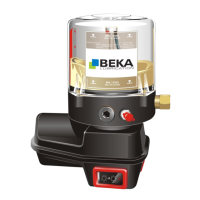
The following indications appear one after the other in the display of the device when the push-button for intermediate lubrication is
held down (> 1 s). The device does not perform an intermediate lubrication in this case.
Reset level prewarning
(see chapter 11.5 “Level
prewarning”)
Evaluate operating hours
counter
(see chapter 11.7 “Operating
hours counter”)
Deactivate / activate level
prewarning
(see chapter 11.5.1
“Deactivate / activate level
prewarning”)
Display of the firmware version


 To Next Page