-45- © BEKA 2019 All rights reserved!
11.5.1 Deactivate / activate the level prewarning
The level prewarning is always activated by default. However, it can also be deactivated if it is not desired.
BEKA recommends to always operate the device with activated level prewarning.
If the cartridge is completely emptied, the device might suck in air and deliver it into the lubrication system!
Please always make sure that there is a sufficient amount of lubricant in the cartridge!
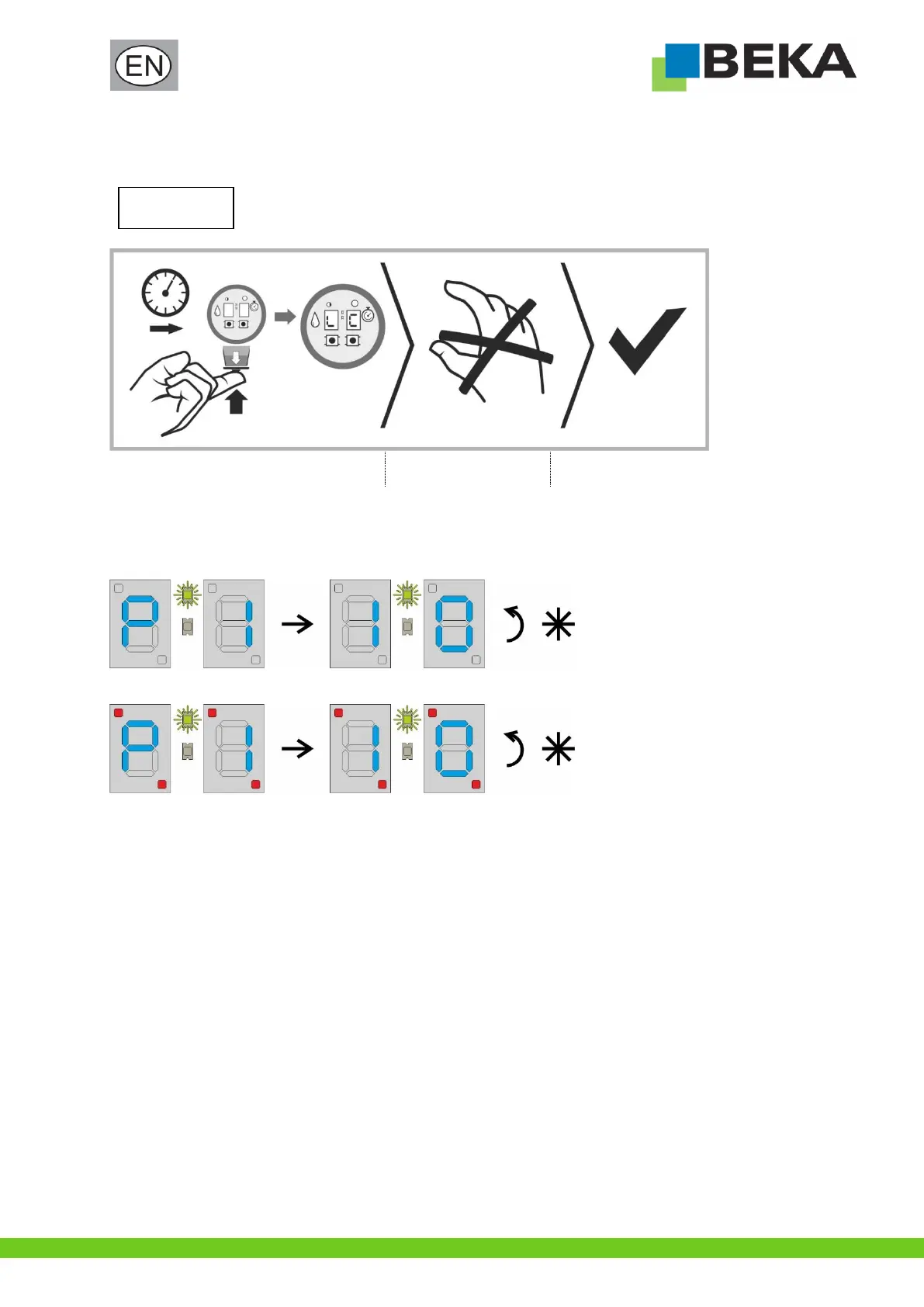
Hold down push-button for intermediate
lubrication until “LO” appears on the display
Release push-button for
intermediate lubrication
The level prewarning is
deactivated or activated
* see also chapter 10.2.1 “Display sequence of the push-button for intermediate lubrication”
If the level prewarning is deactivated, the four indicator points in the display of the device will light up permanently.
Example of a display sequence with activated level prewarning:
Example of a display sequence with deactivated level prewarning:


 To Next Page