INTEGRA® / E-1063
1MANUL102 Belanger, Inc. * 1001 Doheny Ct. * Northville, MI 48167 * Ph (248) 349-7010 * Fax (248) 380-9681 3-1
Chapter 3 General Methods of Using Operator Interfaces
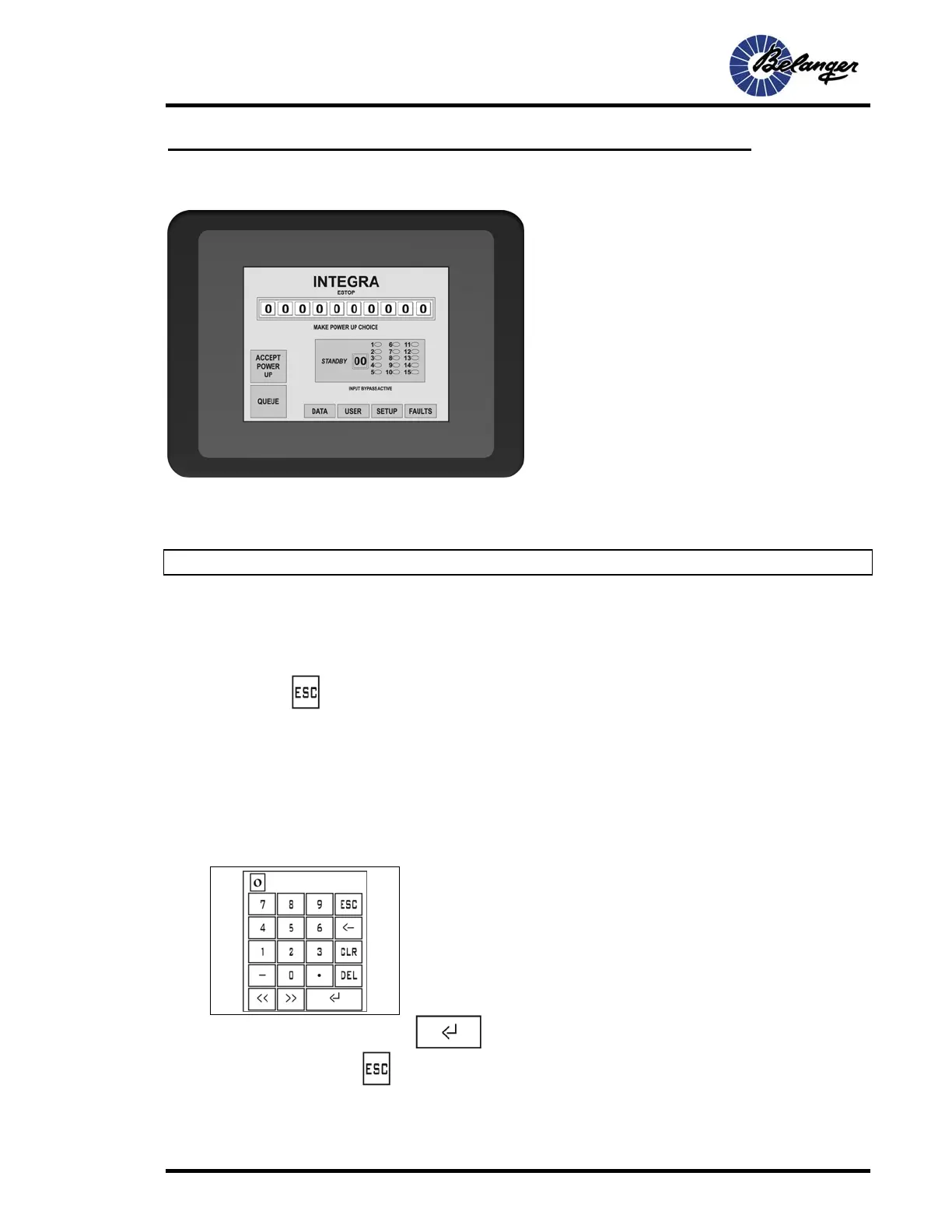
E-1063
The E-1063 is an Operator interface that utilized “Touch-Screen” technology. User makes selections and enters data by
touching the appropriate positions on the screen. Due to the ease in which a stylus can be misplaced, we recommend that
you use the back end of an ink pen or a stylus.
Note: It is not recommended that the screen be operated with metal objects such as keys or screw-drivers.
Fields encountered on this unit are as follows:
Screen Navigation
The Screen Navigation fields are typically located at the bottom of the screen. These fields typically have frames
(boxes) around words. Pressing these fields will change current screen to the corresponding screen. Some screen
require pressing
to return to the previous screen.
Toggles
These fields toggle between two values when pressed. Typical data in these fields is YES/NO, ENABLED/DISABLED
and choosing between two different numbers. These fields may be just the changeable value or the entire line. It may
require pressing a few different locations on the line to find the toggle field.
Numeric
When a field is selected that is Numeric the following Data Entry Screen will appear.
When done entering the data, press .to return to the original screen. To leave the Data Entry screens
without changing data, press
.



 To Next Page