INTEGRA® / E-1063
3-2 Belanger, Inc. * 1001 Doheny Ct. * Northville, MI 48167 * Ph (248) 349-7010 * Fax (248) 380-9681 1MANUL102
Chapter 3 General Methods of Using Operator Interfaces
E-1063
Selections
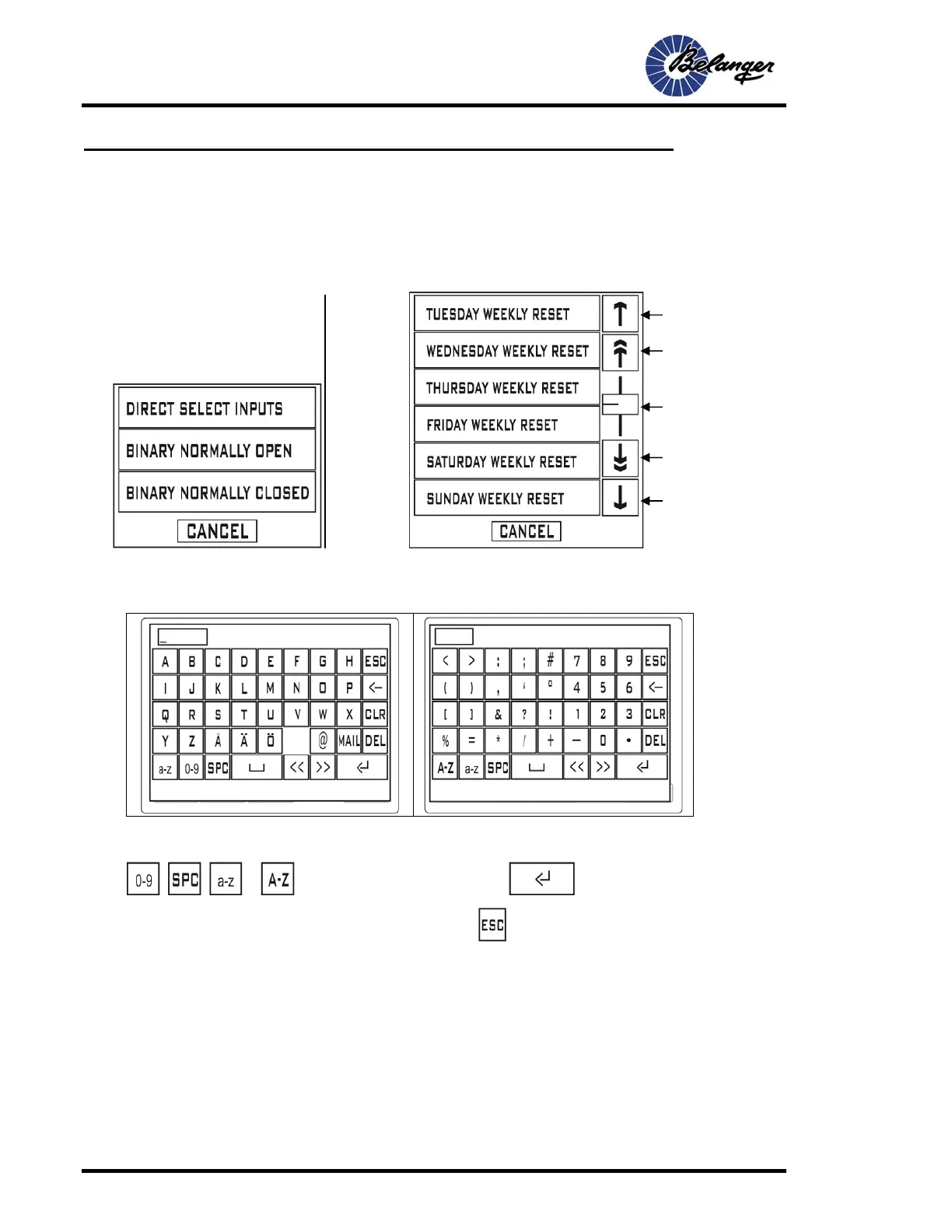
When a field is selected that is of “Type” Selection, screens that resemble the following will appear:
Alpha/Numeric
• When a field is selected that is Alpha/Numeric one of the following Data Entry Screens will appear:
To navigate between screens press on of the following:
, , or . When done entering the data, press .to return to the original screen.
To leave the Data Entry screens without changing data, press .
Selections:
If the available
selections are
more that what
will fit in a
single screen,
scroll controls
will appear to
the right of the
selection.
Up one selection
Up to limit
Slider
Down to limit
Down one selection
Screen with all selections visible



 To Next Page