INTEGRA® / E-1063
1MANUL102 Belanger, Inc. * 1001 Doheny Ct. * Northville, MI 48167 * Ph (248) 349-7010 * Fax (248) 380-9681 5-19
Chapter 5 Operator Interface/Wash Setup Screens
Setup
SETUP / MISC
This page covers the second of the 2 Misc. screens.
Misc (second screen)
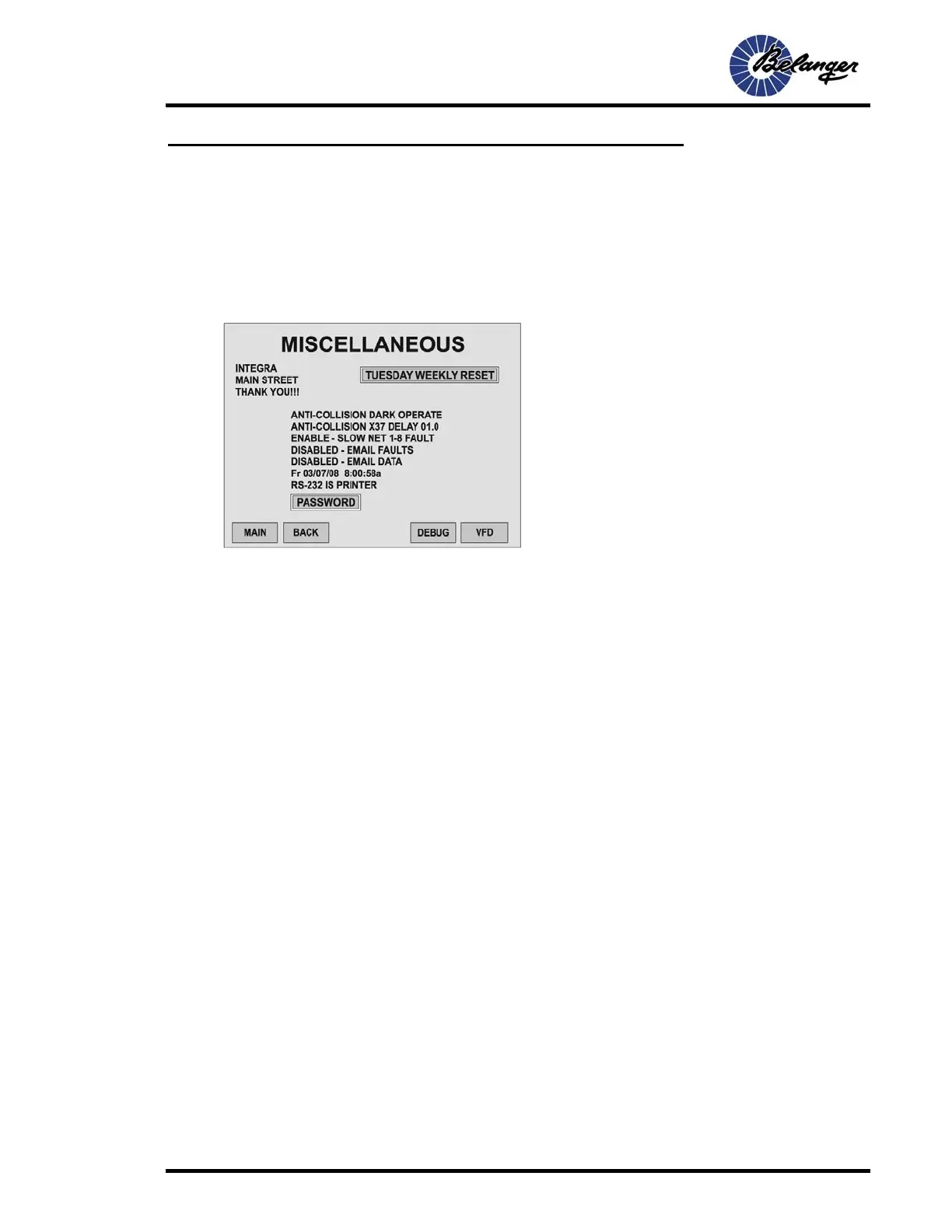
Pressing the MORE key will take you to the following screen.
• Anti Collision (Dark Operate / Light Operate)
•
LIGHT OPERATE is for sensors that leave controllers Input ON when the vehicle is not present. LIGHT OPERATE
is sometimes referred to as Normally Closed.
• DARK OPERATE is the opposite of LIGHT OPERATE.
• Anti-Collision x37 Delay: This is the amount of time that the second Anti-Collision sensor detects the
vehicle before its considered for triggering Anti-Collision, this helps when a long vehicle can trigger both
sensors. The system is more precise when the sensors are far apart and the delay is set to zero.
• ENABLE/DISABLE: Slow Net 8 - 1 Fault is typically enabled. This disables the Slow Net to keep the wash running.
Network and 3 phase wiring and installation should be reviewed if Slow Net Fault occurs.
• Setting the Time and Date: Place cursor over the field to be altered. Enter the desired number. Move to the
next field and follow the same process until the Time and Date are set.
• RS-232 Printer: Here you select which device is hooked up to the 9-pin port. Selections are either a modem
or a printer. Modem will disable Automatic Repot Printing, Printer will disable Paging.
• Name and Address: This entry allows you to place a title on the top of your receipts such as your Carwash
name and address. There are three lines of text available here. Once completed the top line will appear on
the E-1063 Main Screen. All three lines will be displayed on the top of all Carwash receipts. Each line of text
has 16 positions.
• Weekly Reset: This button brings up the “Pop-Up Box” that allows for selection of the day that is the end of
the accounting week.
• Password: Press this button to set Password for each level. QUEUE is level 1 with initial password 1111.
SETUP is level 2 with initial password 2222.



 To Next Page