QUICKFIRE® WRAP AROUND
1MANUL825 Belanger, Inc. * 1001 Doheny Ct. * Northville, MI 48167 * Ph (248) 349-7010 * Fax (248) 380-9681 31
Installation
Installing Side Wheel hubs
Lower Hub Installation
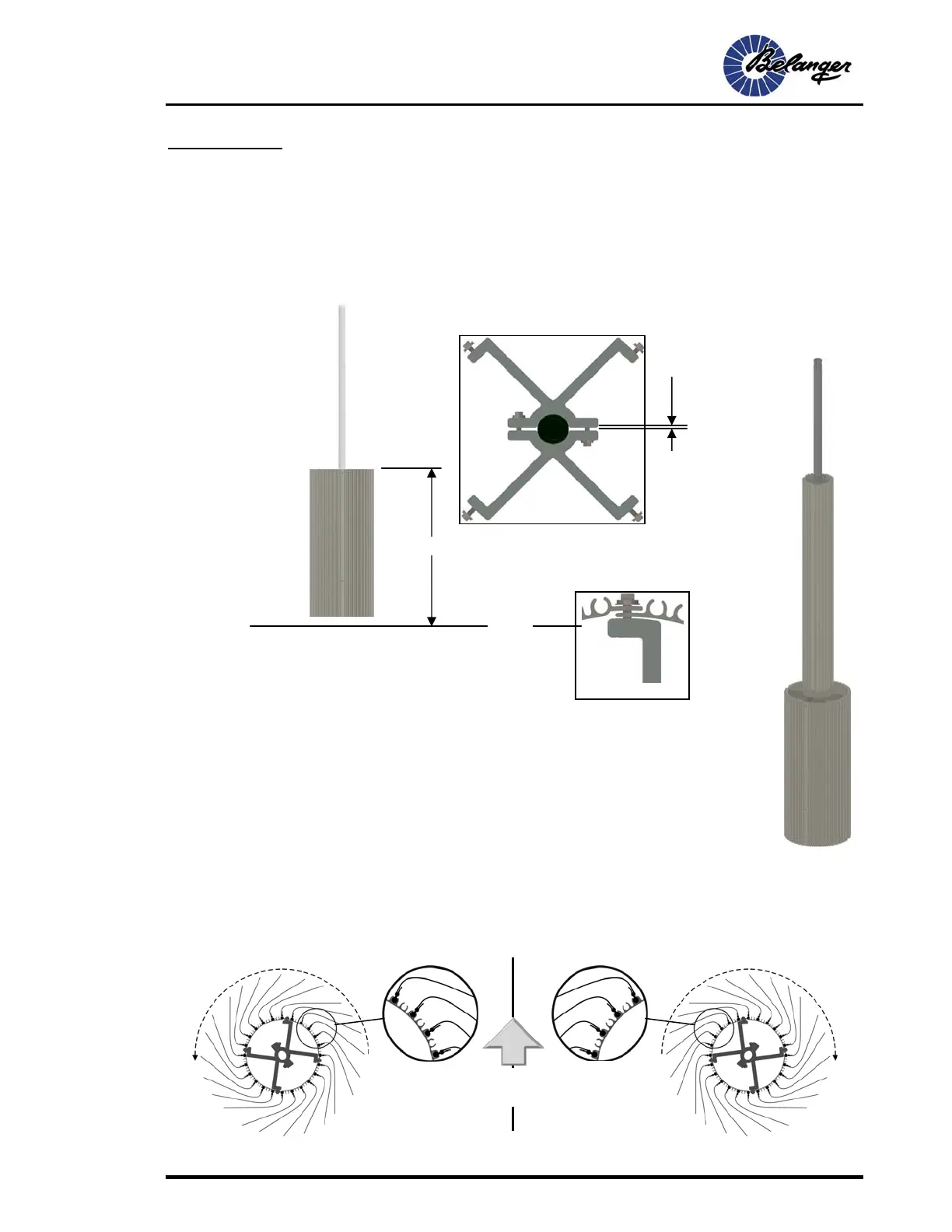
2) Mount the Hub to the Shaft so that the top is 36” from the Conveyor surface on the driver side and
36” from the passenger side floor surface 60” from the center of the Conveyor (60” is the average
width of a vehicle). Do so by securing the “Spider” Clamps to the shaft while making sure the gap
between the Spiders are even as shown below.
3) Replace the Skins and tighten all fasteners.
Notice the overlapping of the tabs of the Skins as
shown to the right.
Upper Hub Installation
1) Locate the 6” diameter x 42-1/4” tall Upper Hub Assembly and remove the Skins
that will reveal and allow access to the inner fasteners on the Spiders.
2) Mount the Hub to the Shaft and allow it to rest atop the Lower Hub.
3) Replace the Skins and tighten all fasteners. Be sure the overlapping of the tabs of
the Skins are as shown above.
Installing Cleaning Material
Cleaning Material Orientation
When installing single-ply cleaning material and Wash Clips, be sure the flaps are positioned as shown
in the overhead view below.
Overlapping Skin
36”
Floor
Be sure this
gap is equal on
both sides
Direction of
Travel











 To Next Page