28
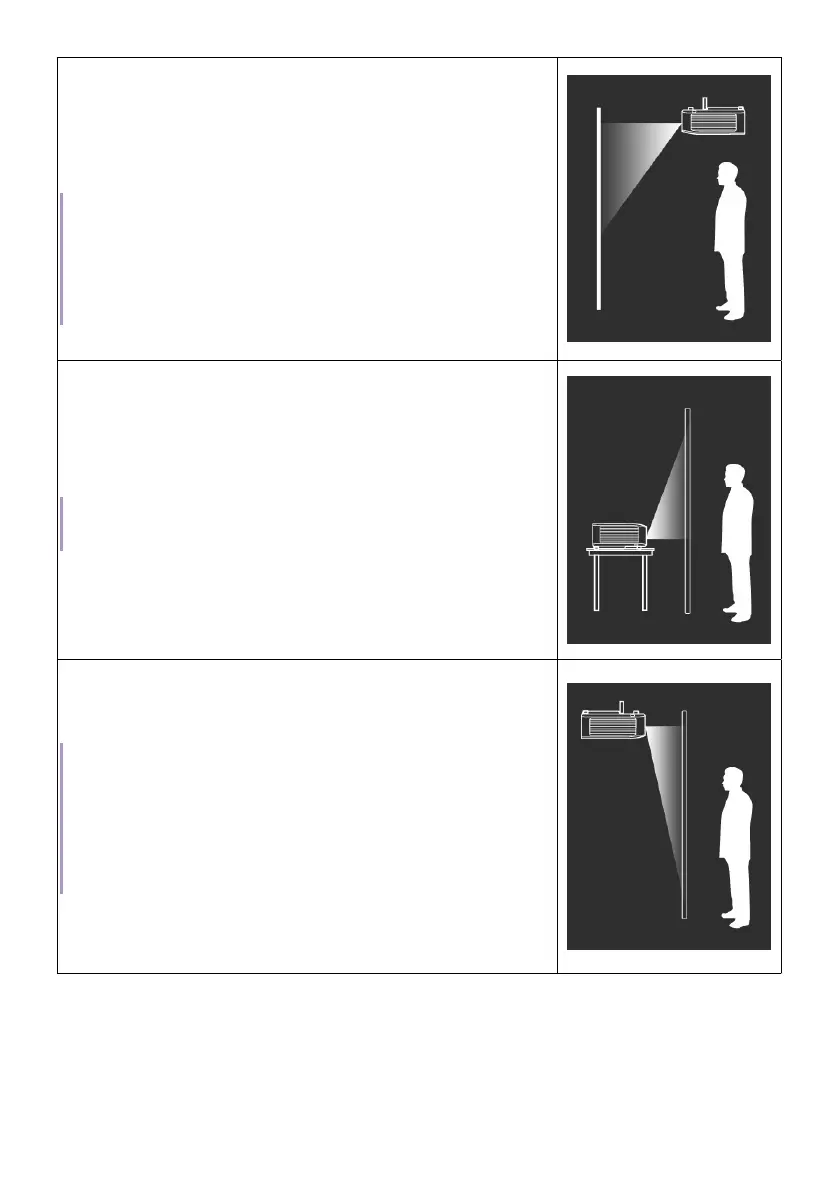
• Front Ceiling
Select this location with the projector elevated
near the ceiling in front of the screen.
The audio channels are switched accordingly
to go with the projector position.
Note
The projector does not feature ceiling mount components/
equipment. When choosing to use a ceiling location, you must
place it on an elevated and even shelf purchased separately. Make
sure the shelf is stable enough to support the projector’s weight.
Secure the shelf properly and keep the projector from falling.
• Rear
Select this location with the projector placed
near the floor behind the screen.
The audio channels are switched accordingly
to go with the projector position.
Note
A special rear projection screen is required.
• Rear Ceiling
Select this location with the projector elevated
from the ceiling behind the screen.
Note
• A special rear projection screen is required.
• The projector does not feature ceiling mount components/equip-
ment. When choosing to use a ceiling location, you must place
it on an elevated and even shelf purchased separately. Make
sure the shelf is stable enough to support the projector’s weight.
Secure the shelf properly and keep the projector from falling.



 To Next Page