48
No. Item Description
6
Search Enables text input to search.
7
Dashboard Access to Dashboard (seeSee page 48 ) and
settings menus.
8
Recommended
content
Access to the personalized content
recommended accross different streaming
services.
9
Your apps Access to the installed apps.
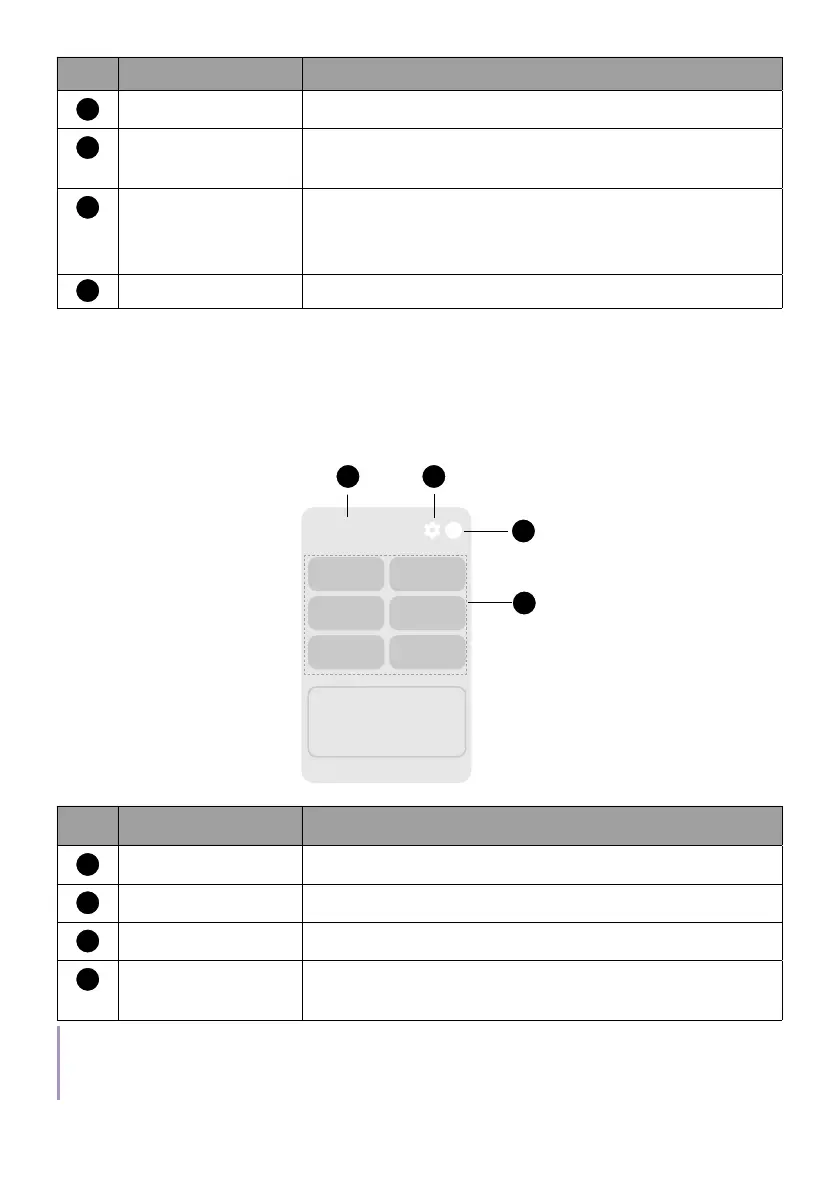
Dashboard
Use the side panel (Dashboard) on Google TV to quickly access certain
functions.
Fri. Jun 28
10:00 AM
1 2
4
3
Screensaver Inputs
Battery
Wi-Fi
Projector
Accessibility
No. Item Descriptions
1
System time Displays the time.
2
Settings Access to settings menus.
3
Switch account Access to user accounts.
4
Default frequently
used menus
Access to requently used menus/functions.
Note
Actual screen may vary by the avaibility of network and Google TV version. It may also subject to
change without prior notice.



 To Next Page