33
Getting started
Powering on and initial setup
1. Choose a preferred location and image size as instructed in "Choosing
a location" on page 27.
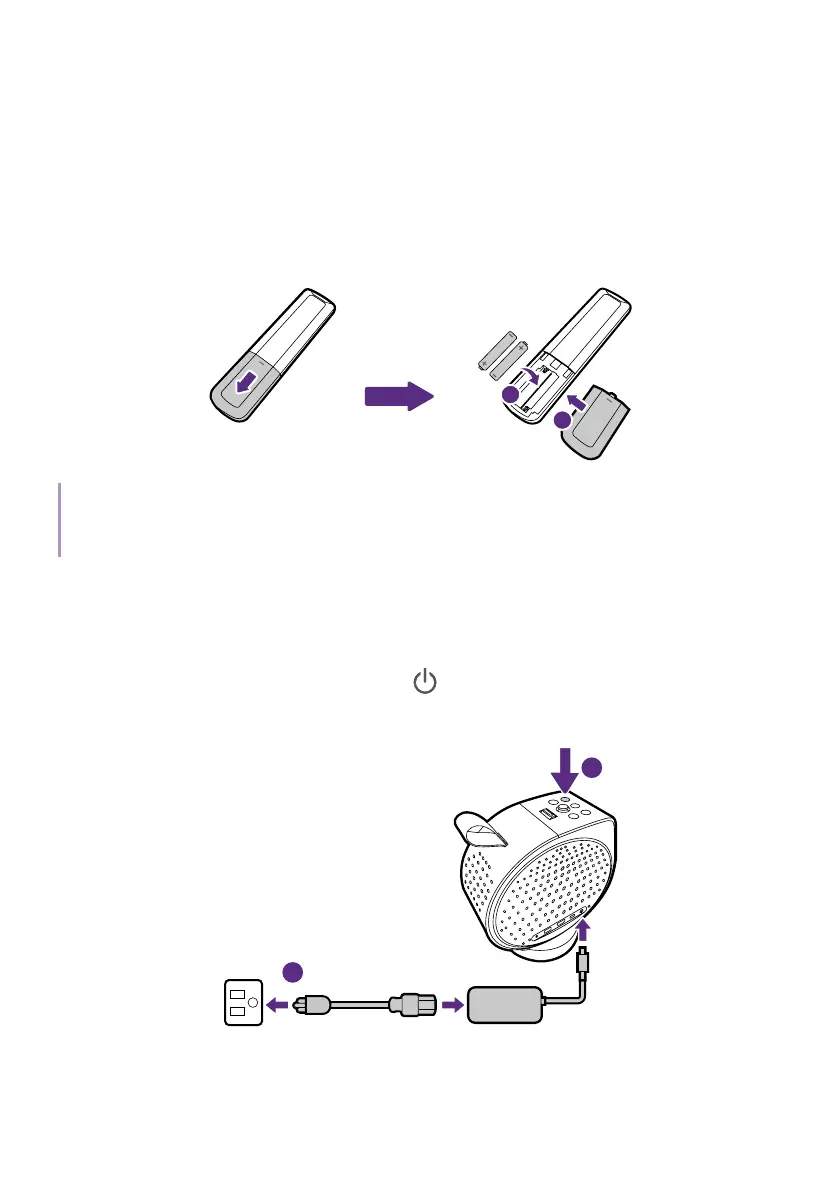
2. Install the remote control's batteries.
1
2
Note
Avoid leaving the remote control and batteries in an excessively hot or humid environment like the
kitchen, bathroom, sauna, sunroom or in a closed car.
3. Connect power to the projector. If you are starting up the projector for
the first time, charge the battery or supply power to the projector until
the power LED lights up in green. See "Charging the battery" on page
31 for more information.
Press and hold the power button
on the projector for 2 seconds. The
power LED will flash white slowly.
2
1
2 seconds



 To Next Page