BERGHOF Automation Operation
2VF100108FE01.doc DC1000_HB_en_2D0982003ZD00.doc 43
3.3.2. Parameter Window
Parameter window
structure Checking and setting options are accessed through this window section.
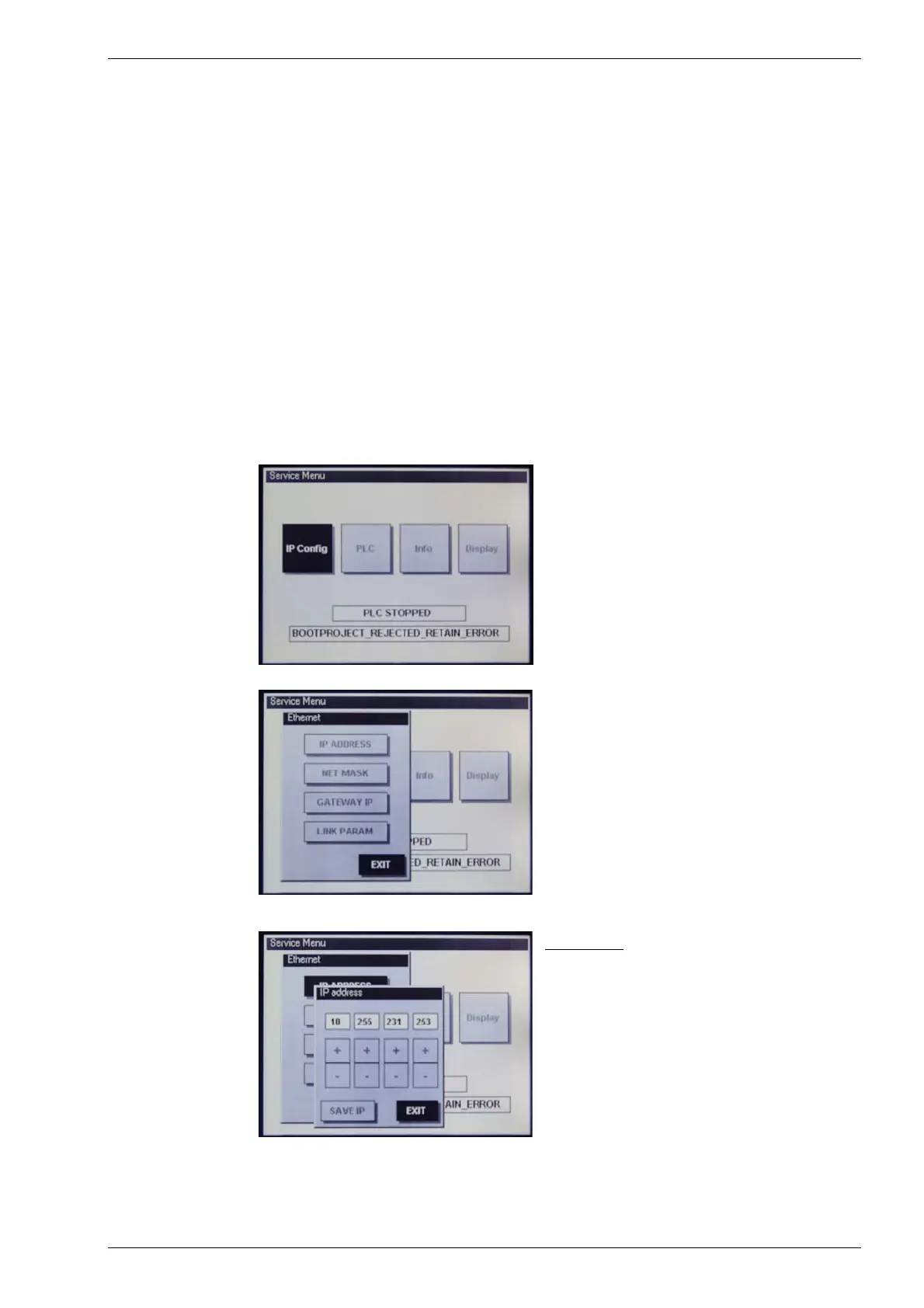
The following four menu items are available for selection:
• IP Config to check and adjust Ethernet parameters;
• PLC to check and operate the PLC;
• Info to display the hardware and software version levels
as well as diagnostic data;
• Display to adjust contrast values.
“IP Config” service menu
IP Config
Check and adjust Ethernet parameters.
Ethernet
“IP ADDRESS”
Check and adjust the IP address
IP address:
The “+/-” keys can be used to adjust and set
each individual IP address byte.
The “Save IP” button is then used to save
the settings. New settings will only take effect
after a restart!
The “EXIT” button allows you to leave the
menu without saving any changes which may
have been made.



 To Next Page