Operation BERGHOF Automation
44 DC1000_HB_en_2D0982003ZD00.doc 2VF100108FE01.doc
Ethernet
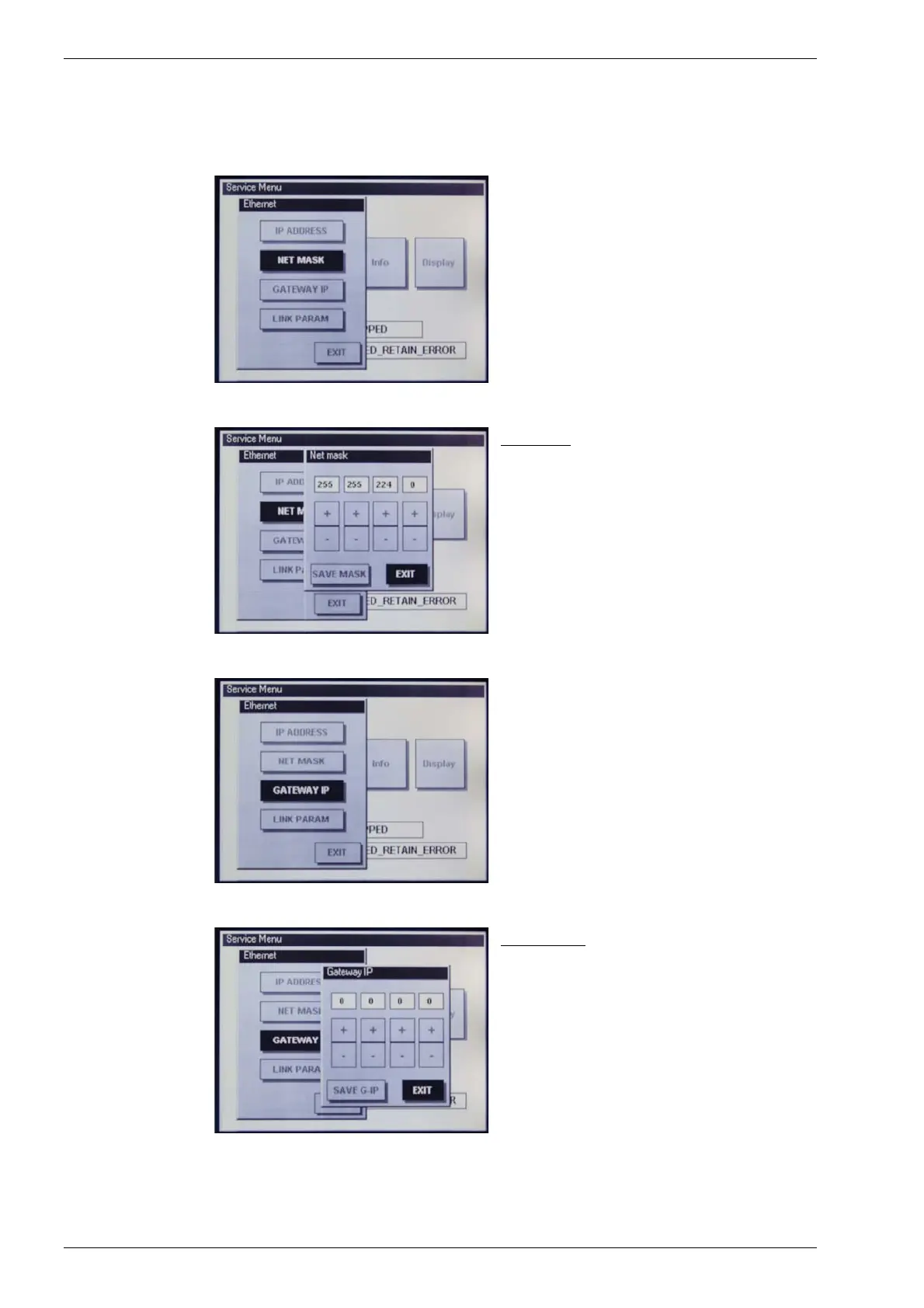
“NET MASK”
Check and adjust the network mask.
Net mask:
The “+/-” keys can be used to adjust and set
each individual network mask byte.
The “Save Mask” button is then used to sa-
ve the settings. New settings will only take
effect after a restart!
The “EXIT” button allows you to leave the
menu without saving any changes which may
have been made.
Ethernet
“GATEWAY IP”
Check and adjust the gateway IP address.
Gateway IP:
The “+/-” keys can be used to adjust and set
each individual gateway IP address byte.
The “Save G-IP” button is then used to save
the settings. New settings will only take effect
after a restart!
The “EXIT” button allows you to leave the
menu without saving any changes which may
have been made.



 To Next Page