125
2.2 Opening the program
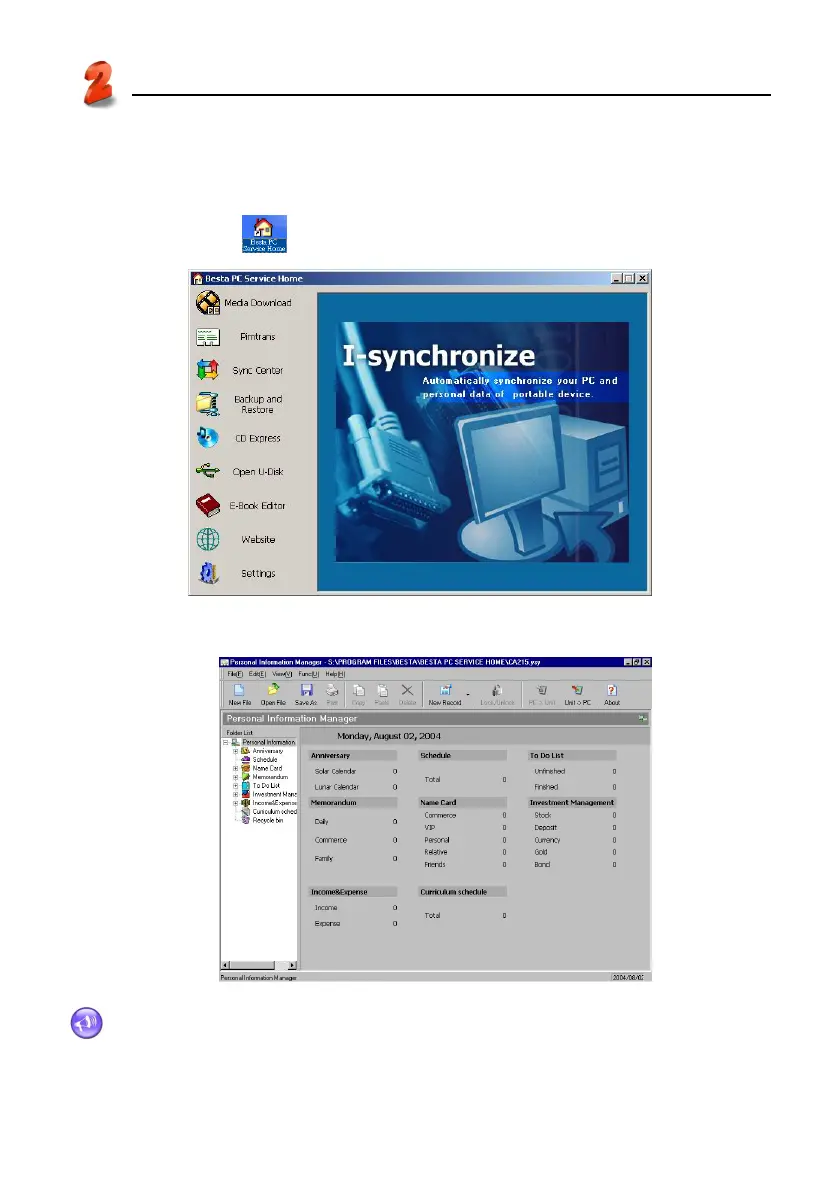
Click “Start” menu → “Programs” → “Besta PC Service Home” → “Besta PC Service Home”, or click
the shortcut in desktop “
” to open. (See picture 14)
14
Click “Pimtrans” to open Personal Information Manager program. (See picture 15)
15
Note: To optimize PC Service Home display, please use small font type in Windows.
PC Service Home Guide
Opening the program



 To Next Page