33
Press to display the other functions.
Tap
to open the searching window.
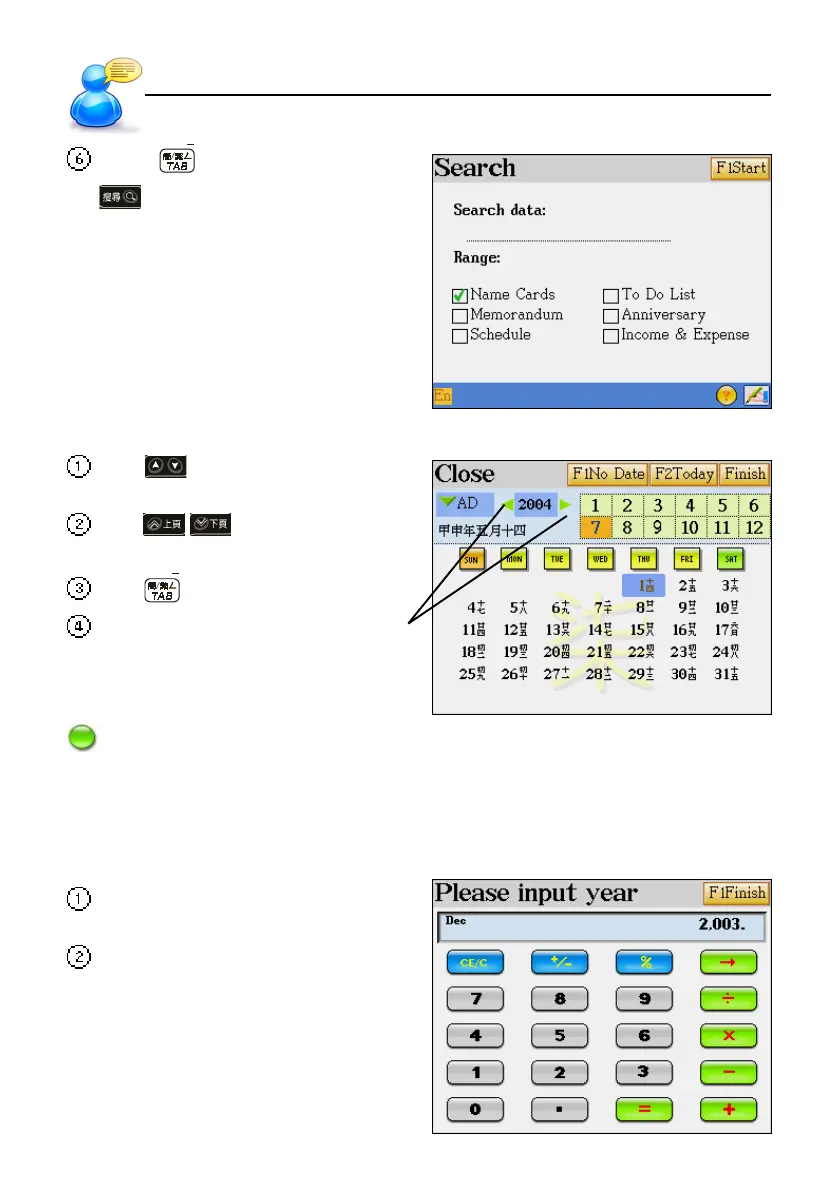
6. Selecting Date
Several functions under the [F3 PIM] are connected with date.
Tap or press the direction keys to
select the date/month.
Tap / or press page up/down
to select the year.
Tap to shift between choices.
Tap here to increase/decrease the year.
Tap the year to display the [Please input
year] screen to edit the year directly.
Note: [No Date] is only available in "F3 PIM--4.To Do List".
7. Inputting Digits
Some applications in “F3PIM" and "F4SYS" are connected with numbers.
Tap or press the numeric and operator
keys to input the number and calculate.
Tap [F1Finish] to confirm.
User Guide
Selecting Date



 To Next Page