76
Study
* Double tap a part of the result to display details.
* Tap wrong items to access the practice screen.
In Practice Room:
* Tap [F3Play] to replay the questions. Press [ESC] to exit.
* Tap the icon
to check the questions; tap the icon again to return to the previous screen;
you can also look up the unknown words in other dictionaries.
* Tap [F2Auto] to play the questions and answers automatically. Press [ESC] to exit.
* Tap [F3Play] to select sentence to pronounce. Press [ESC] to exit.
* Press or tap the appropriate letter key to answer. If you answer the question during speaking,
it will stop.
* Tap to access the next question.
* Tap to return to the previous question.
* Tap [ESC] to exit the practice (before the question is spoken).
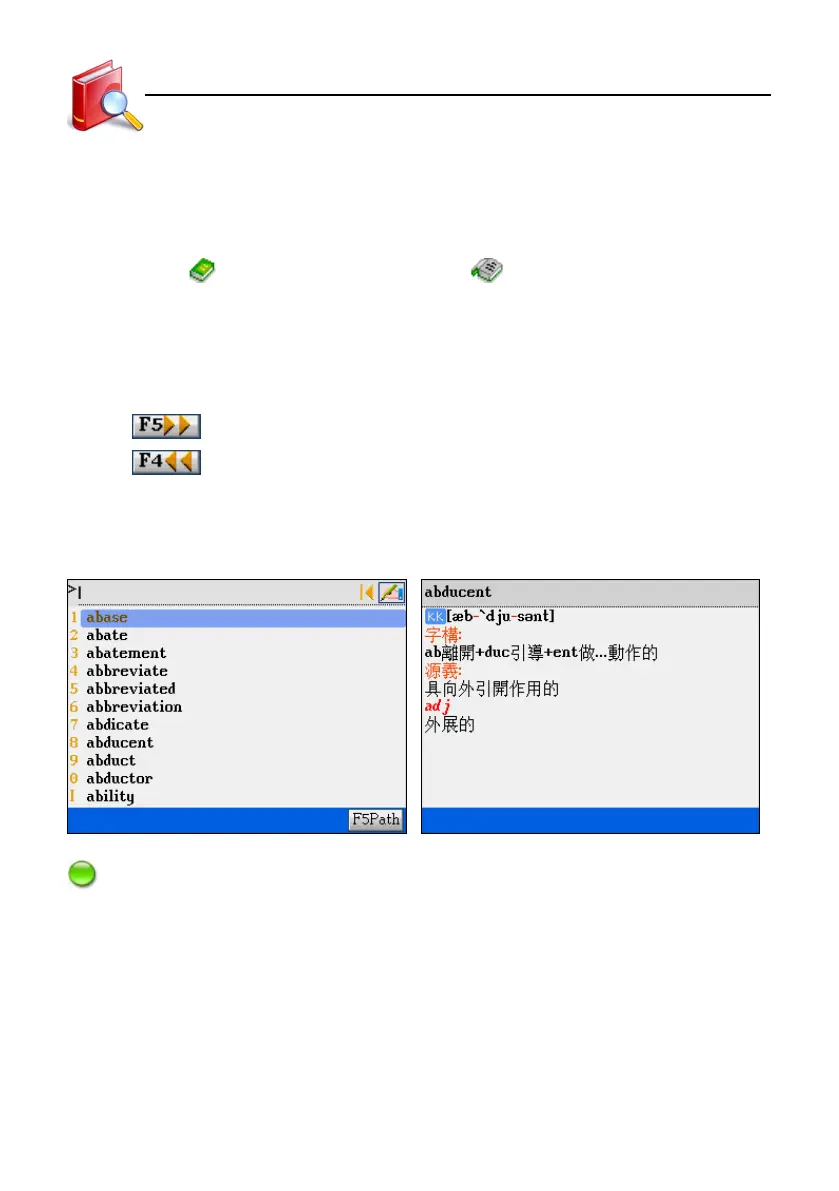
[Word Component] Index [Word Component] syllable pronunciation
Note:
Word Component provides the information of the origin and history of roots, and syllable pronunciation. You can also
look up the unknown words in other dictionaries.
Word Component



 To Next Page