22
3.2 Inputting Special Symbols on the Keyboard
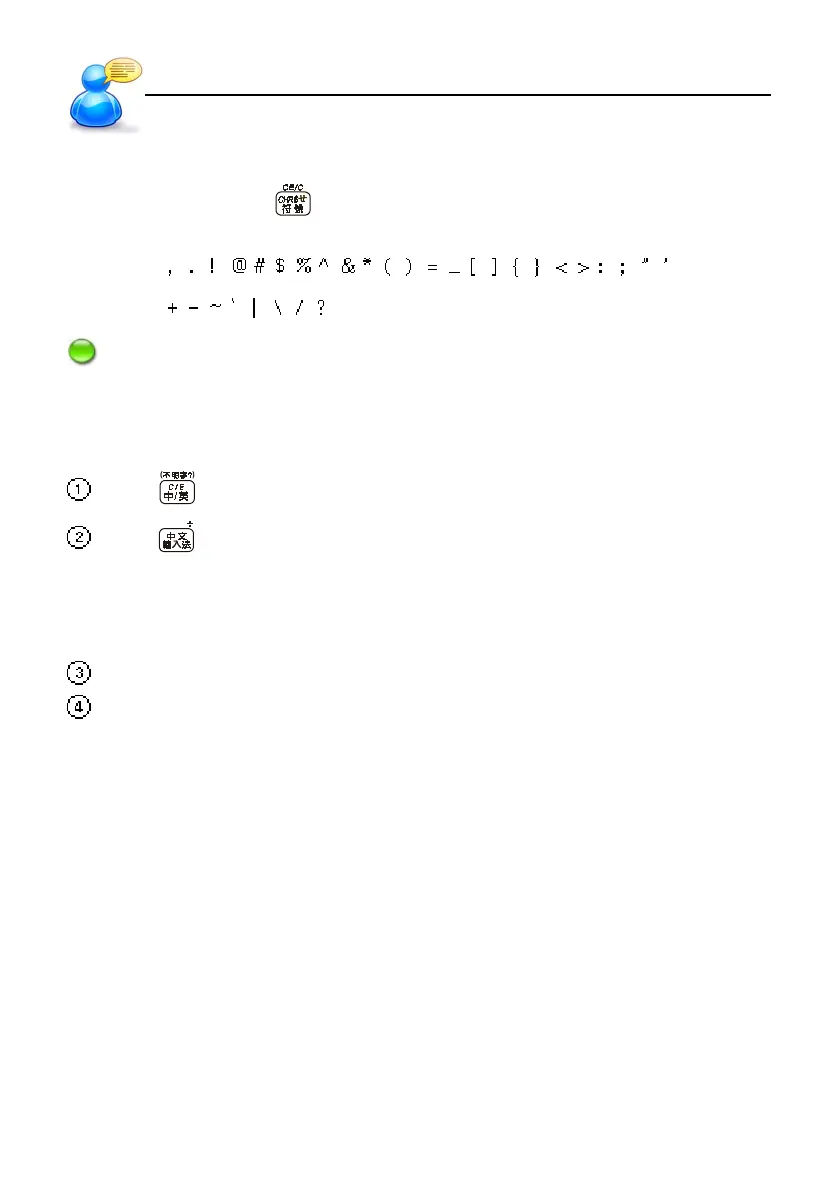
In English input mode, press key , then press numerical key to input the special symbols. You
have the following symbols for selection.
Note: In dictionary input mode, you can’t enter the special symbol as the first letter.
3.3 Inputting Chinese on the Keyboard
Press to switch to Chinese input mode.
Press or tap the Chinese input icon to select your Chinese input method.
* There are ZhuYin (Phonetic symbol), Simplified ChangJie, Radical strokes, Chinese Pinyin,
General Pinyin, Total strokes, Internal code, BoshiAmy and SBC case.
* You may access “0 Input Setting” under [F4 SYS] menu to set input methods or access out
website to download more input methods.
Press or tap the corresponding numeric keys to select the desired Chinese character.
Except internal code and address, other input methods can activate [Association] function.
Please access [Input Setting] under [F4 System] to set the input methods.
When you enter the first character, the Association function offers the list of combination.Tap
or press the corresponding numeric keys to select the second character.
User Guide
Input Systems



 To Next Page