17
1. Power Source
One of the following power sources can be used.
Rechargeable lithium battery which comes with this device (3.7V/ 780mAH)
A power adaptor with DC output 5V/ 1A which comes with this device.
This power source can be combined with operation .
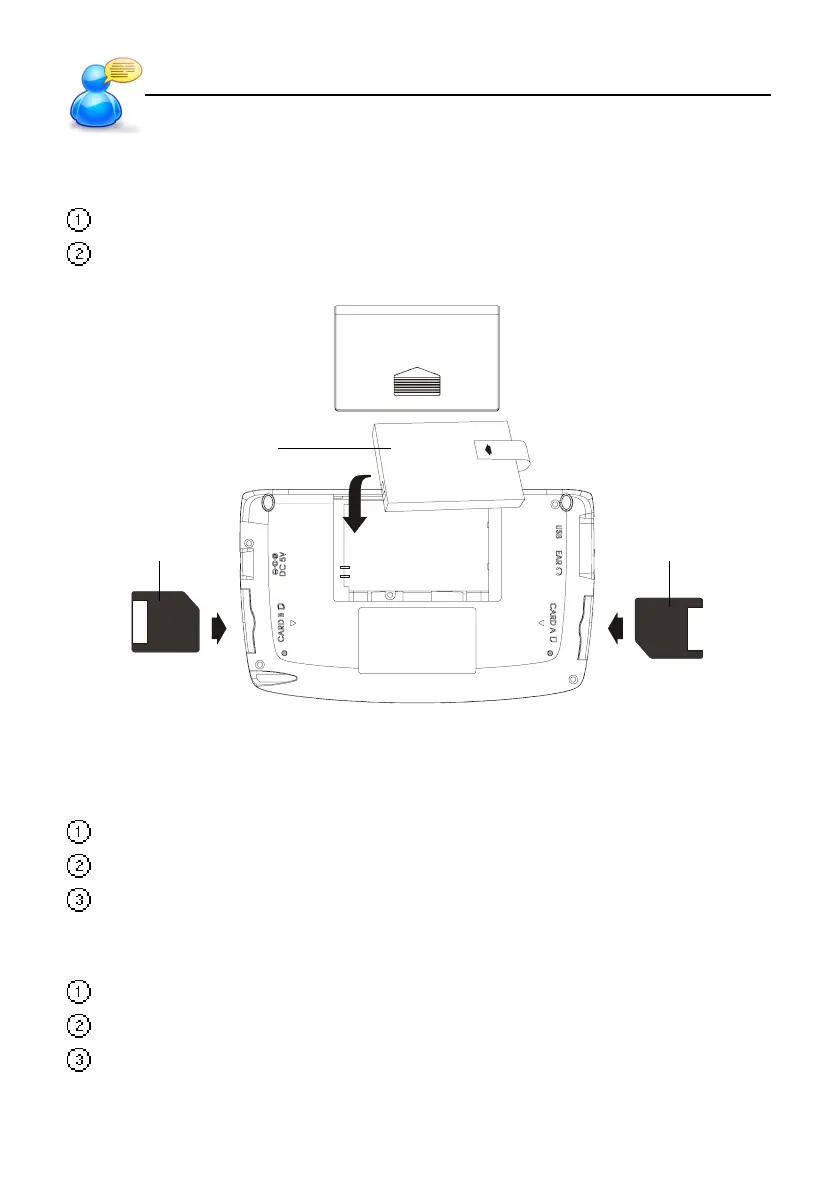
Lithium Battery
SD/MMC Card SD/MMC Card
1.1 Replacing the Battery
Insert:
(Turn off the power)
Remove the battery cover.
Insert the battery into the compartment following the arrow instructions.
Close the battery cover securely.
Remove:
Remove the battery cover.
Remove the battery.
Close the battery cover securely.
User Guide
Power Source



 To Next Page