51
Dictionary
* Press once and press to listen to Cantonese pronunciation.
* Press
once and press to listen to Japanese pronunciation.
* Press [ESC] to stop pronunciation.
* Tap or press
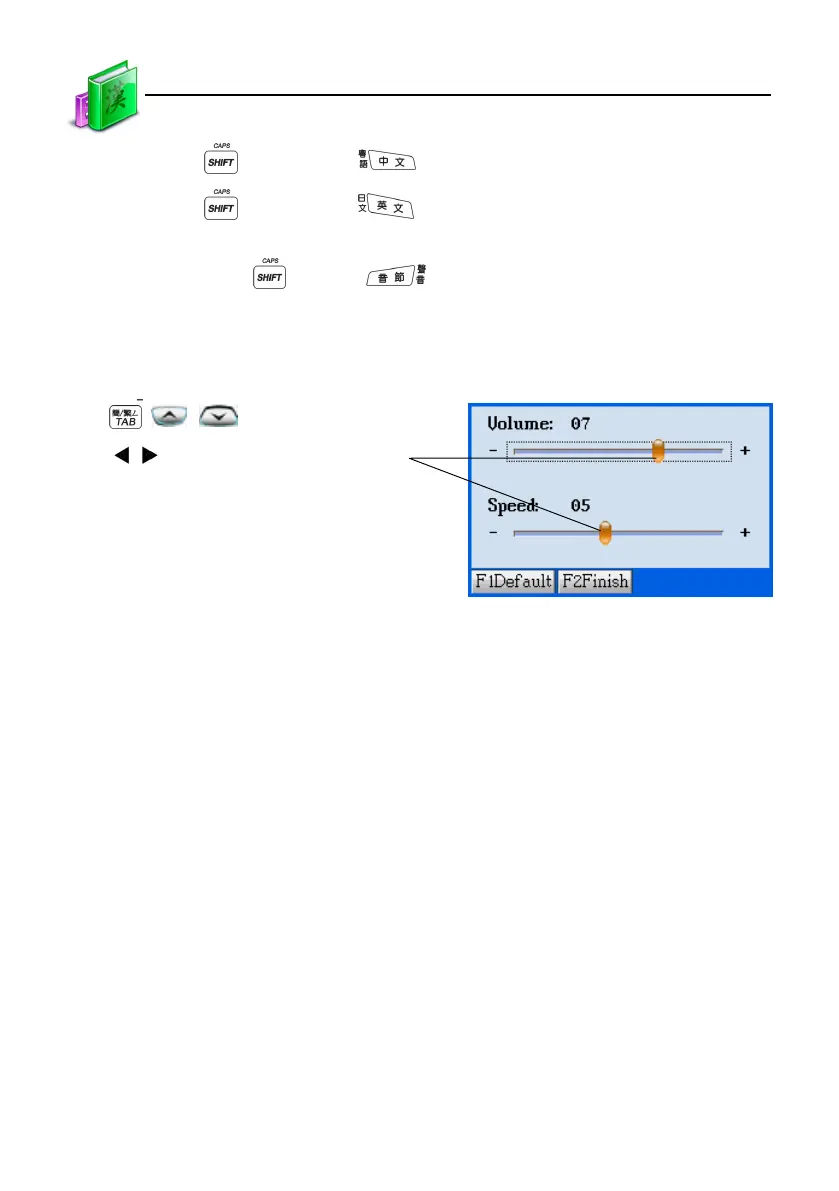
and press to set the volume and the speed of the natural
voice.
Set the volume and the speed:
Press , / to select the item,
Press / / to set the value; or tap the bar to
adjust volume or speed.
Tap or press [F1Default] to return the to the
default settings.
Tap or press [F2 Finish] to confirm the setting.
3. Data Search
Provides many kinds of search methods to help users.
Provides 4 kind of methods on the index screen:
1.Smart input method
2.Wildcard search method (Only supports the searching in English)
3.Cross search
4.Secondary search (Only support the searching in English)
Provides 2 kind of methods on the definition screen:
1.Cross search
2.Related data search
3.1 Search by Smart Input
Just input the first one to several letters, and you can find out the desired headword/ phrase.
Data Search



 To Next Page