93
PIM
3. Schedule
Create or modify data:
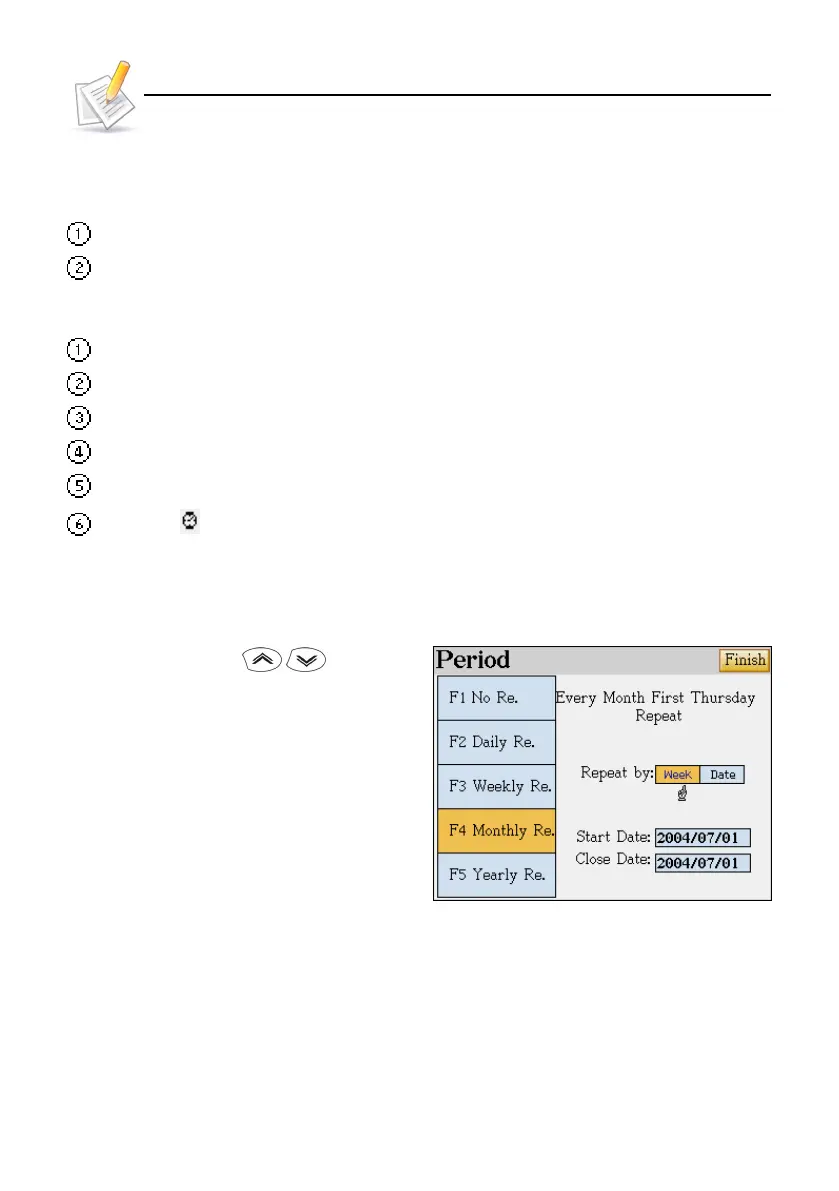
Offers setting "daily, weekly, monthly, yearly " or none” as cycle .
Provides securing / unlocking data.
Index Screen:
Searching for entries by date.
daily/ all schedule index.
Map for day/ weekly schedule.
Chart for day/ weekly schedule.
Provides " daily start time, time display mode, default lasting time, list time interval" settings.
The icon indicates that the alarm is set for the schedule.
3.1 Cycle
Tap or press [F1-F5], / to select
cycle.
Press [TAB] to switch between choices. Then
tap [Finish] to confirm setting.
Schedule



 To Next Page