144
PC Service Home Guide
E-Book Editor
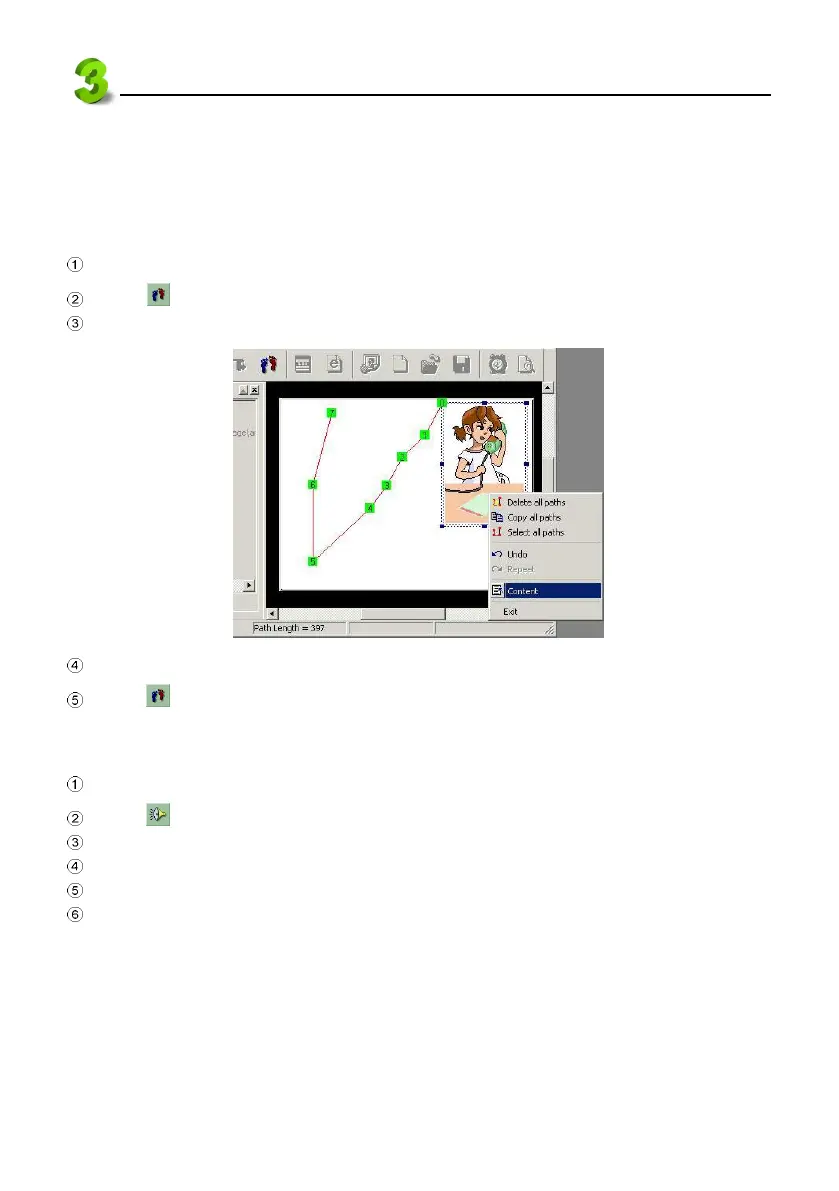
3.5 Setting the Moving Path
Path is the track you set for the image or text to move along. Direction of the movement depends on
the number you marked. You may set the speed and length of the step for the moving path.
Select a section, text or picture to be moved.
Click within the editing frame to set path order and location.
Right click within the page to select “Content” from the pull-down menu. See picture 40.
40
Select moving length and delay interval. Tick “Repeat play” if necessary, then “OK”.
Click again to finish setting.
3.6 Adding Audio effects
Select a section to add audio effect.
Click .
Click "System library".
Select an MP3 file from the list.
Select play time, set start time, tick “Cycle play”. (See picture 41).
Click “OK”.



 To Next Page