143
PC Service Home Guide
E-Book Editor
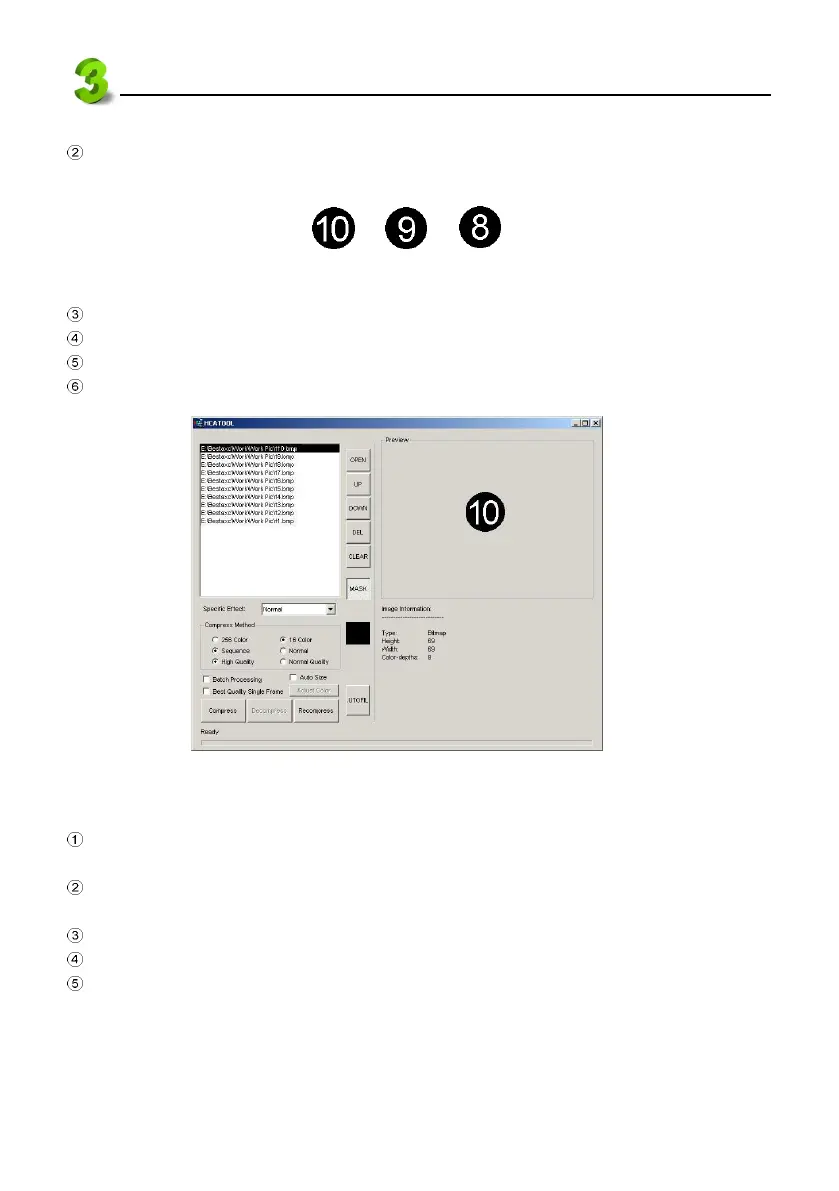
Click “Open” to select all BMP files to be converted as a countdown animation. Click “Open” to
open an old file.
Use “UP” and “DOWN” button to rearrange files in order. (see picture 39).
Click the color of the file. Don’t tick “Batch Processing”.
Click “Compress”, then select where to put the file folder and input fine name.
Click “Save” to get an HCA animation file.
39
3.4.6 Other varieties --shutter, block slide
Under “CM editing” screen, right click the mouse on the editing text or image. Select “Section
setting” from the pop-up menu.
Select a style from the drop-down menu of Begin and End: Horizontal shutter, Vertical shutter,
Fade out.
Select an Ending mode
::
::
: Close by animation, Close by key, Close by time.
Tick Not Counting if necessary.
Click “OK”.
f10.bmp f9.bmp
f8.bmp
...



 To Next Page