34
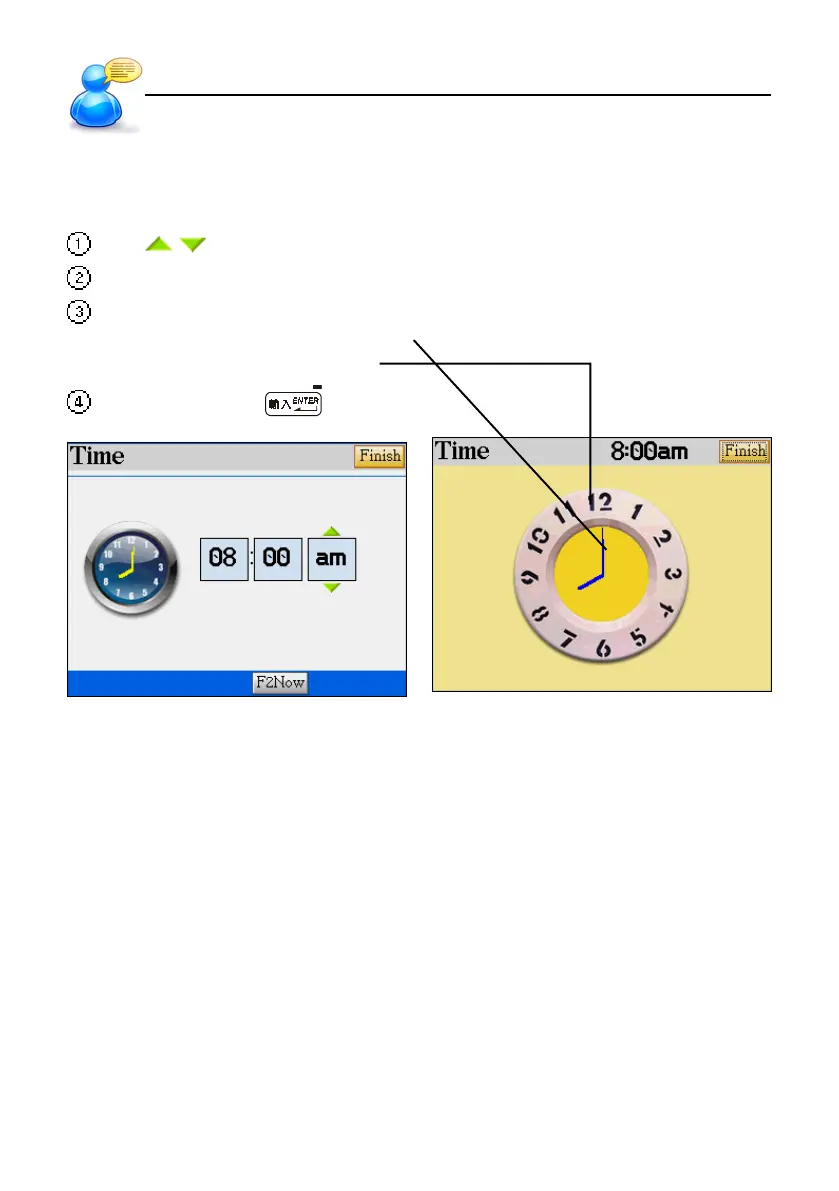
8. Setting the Time
Several applications under “F3PIM” and “F4SYS” are connected with time. You may adjust the time
as you like. For example, access [F3 PIM] --> [5. World Time]---> [F1 Set time] --> Tap the field of Time.
Tap / to increase/decrease the number.
Press [A]/[P] key to select AM/PM. (It is only available in 12 hours time format.)
Tap the clock icon to display the clock in full screen.
* Tap the minute hand to change the time.
* Tap the number to change the hour.
Tap [Finish] or press to confirm.
9. Initializing
When you reset to initialize the device or use for the first time, you may follow the steps below for
the first use or whenever you reset the system
User Guide
Setting the Time



 To Next Page