130
PC Service Home Guide
2.4 Data Management
This allows you to append, modify data, edit category, self-define field name on PC under PIM
applications: Anniversary, Schedule, Name Card, Memorandum, To Do List, Income & Expense,
Investment Management and Class Schedule.
2.4.1 Data Editing
Ex. Name card.
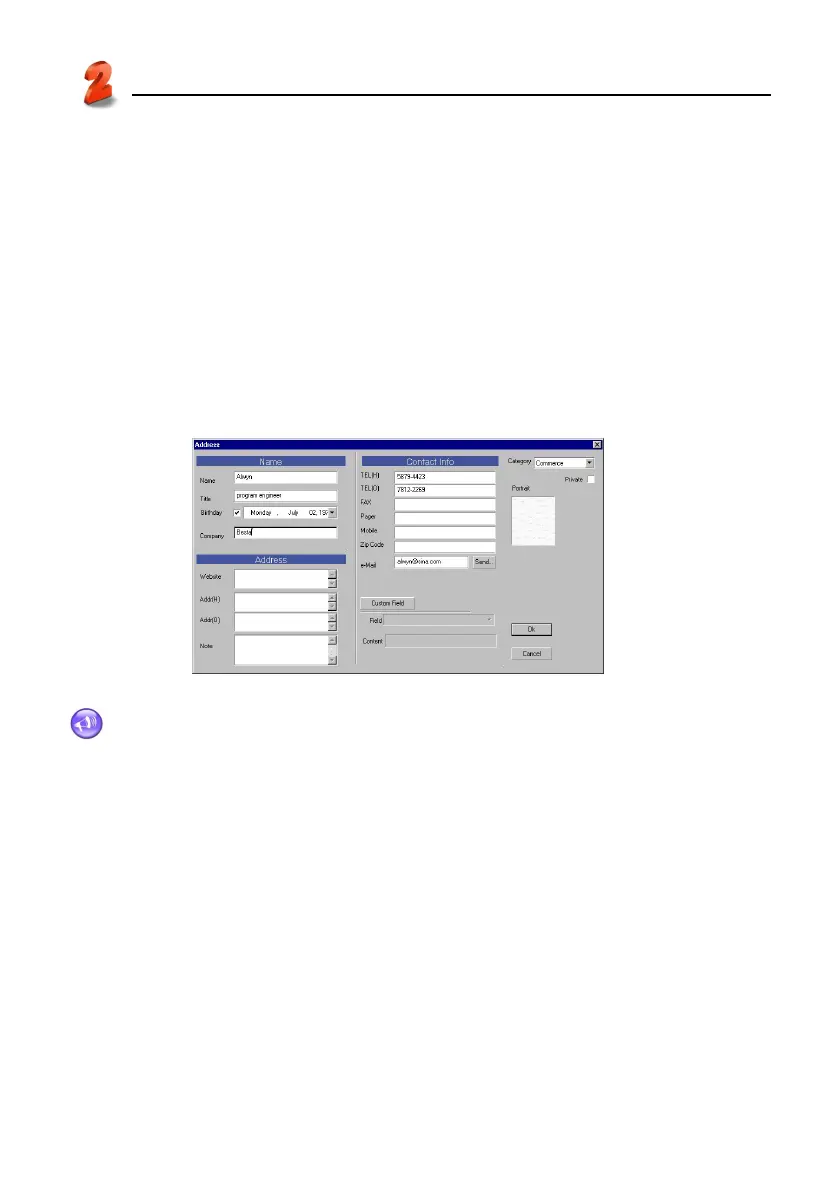
* Click “File” menu → “New add record” → “Name Card”. You may append Name Card data on
the editing screen. (see picture 20)
* To edit the content, double click the entry. (see picture 20)
* To duplicate, paste or delete one or more entries, select the entries first.
20
Note:
Click the blank area of “Portrait” to import BMP or JPG file as Name Card portrait.
Data Management



 To Next Page