129
PC Service Home Guide
Communication
* Backup and Restoring
Repeat step 1 to 3 of “Download”. Click “ ”, then “Yes”, select path to backup file, input
file name (*.PBK), then select “Save” to start to backup file. If click “No”, select PBK file to be
restored, then click “Open old files” to restore it back to the electronic dictionary.
* Sync Center
Repeat step 1 to 3 of “Download”. Then at the 4th step, click “ ”.
* CD Express
To transfer the music in CD-ROM to the electronic dictionary in the way of MP3 format.
* U DISK
Repeat steps 1~3 of “Download”. Then at the 4th step, move, duplicate, delete or append file
folder.
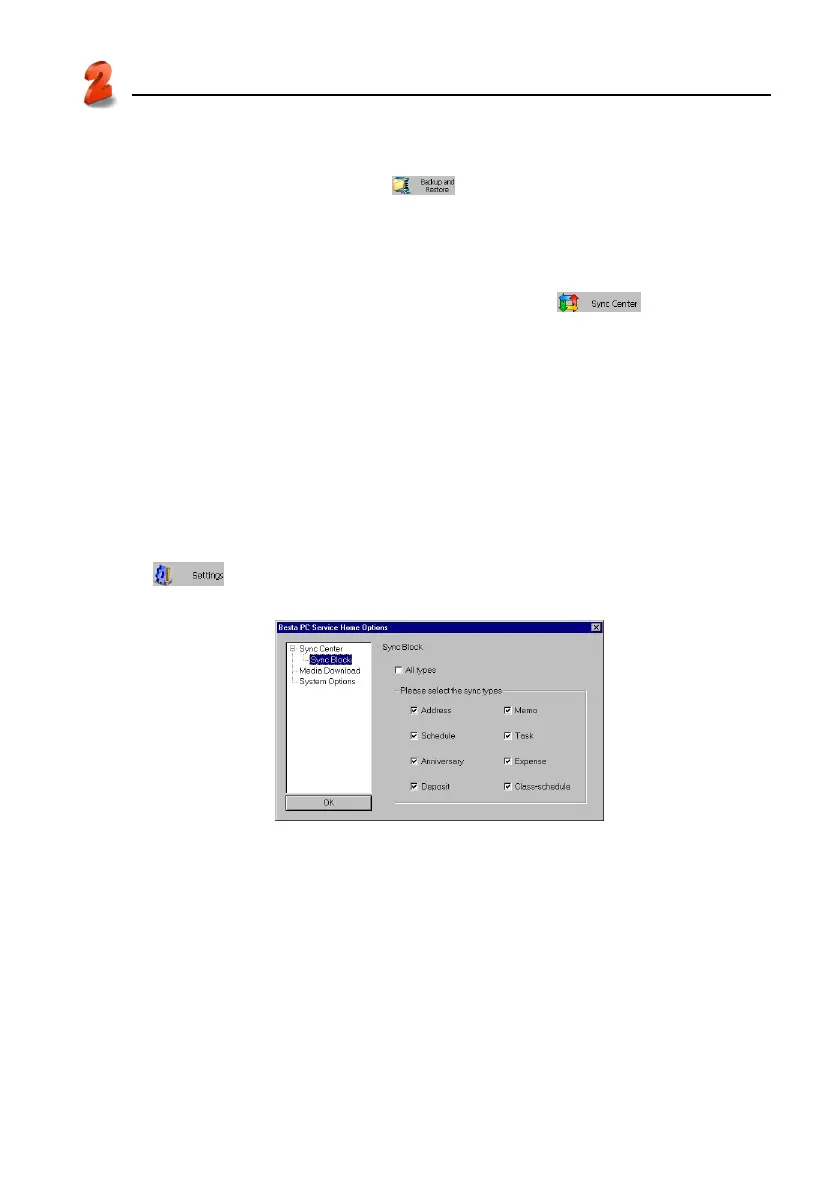
* Service Home Setting
Set “Sync Block, Media Download and System Options”.
Click “
”, then click “Sync Block” to set the data to be synchronized. See picture 19.
19



 To Next Page