87
PIM
1. Data Input
You may enter data in corresponding filed in Name Card, Memorandum, Schedule, To Do List,
Anniversary, Curriculum Schedule.
Entering data in the fields:
* Tap the icon [EN] to display the list of input methods;
* Tap
to display the list of categories
* Tap
or press / to scroll up/ down one line.
* Tap
/ or press / to scroll up/down one screen.
* Tap
or press [ENTER] to advance to the next line of the same field;
* Tap or press [SAVE] to store the data;
Entering data in the self-defined field: (not available in curriculum schedule)
Editing the category. (not available in schedule, to do list, anniversary, and curriculum
schedule.)
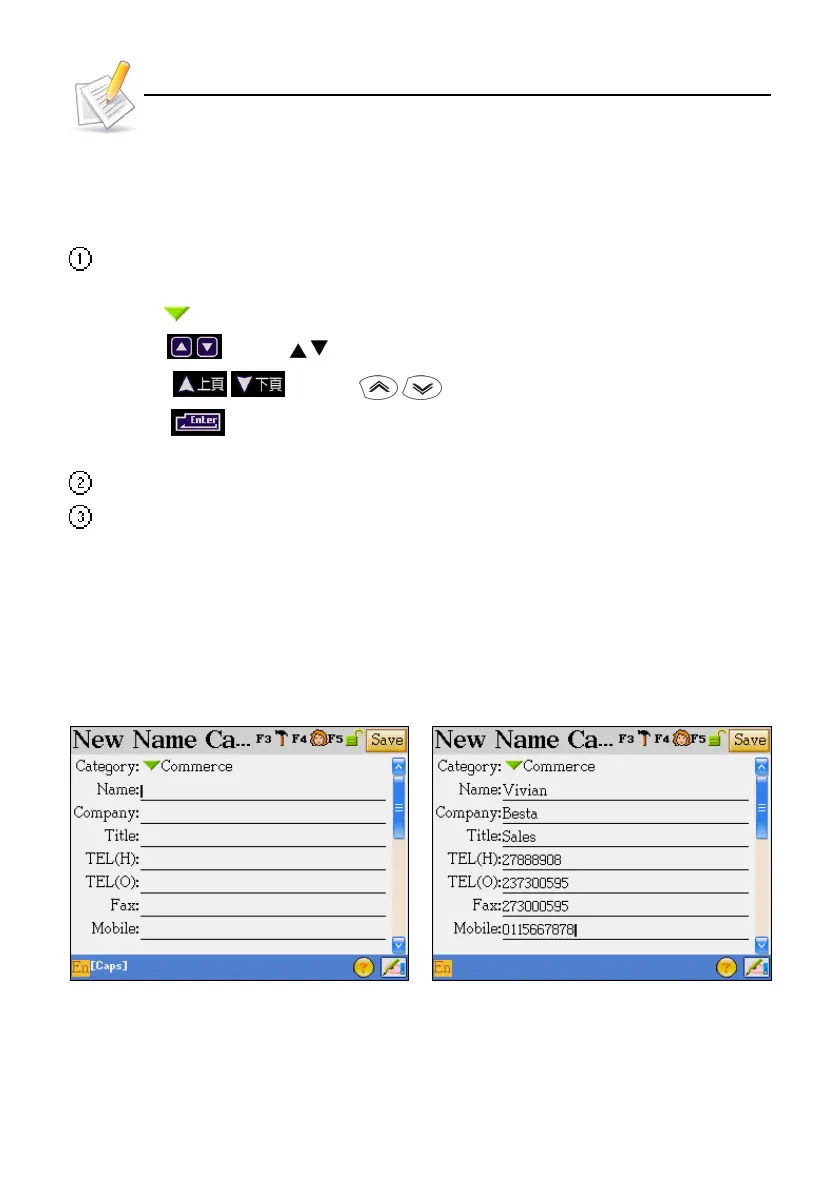
Ex. [Name Cards] :
1.1 Inputting Data in Field
Select the field Input Data
Operation Guide



 To Next Page