13
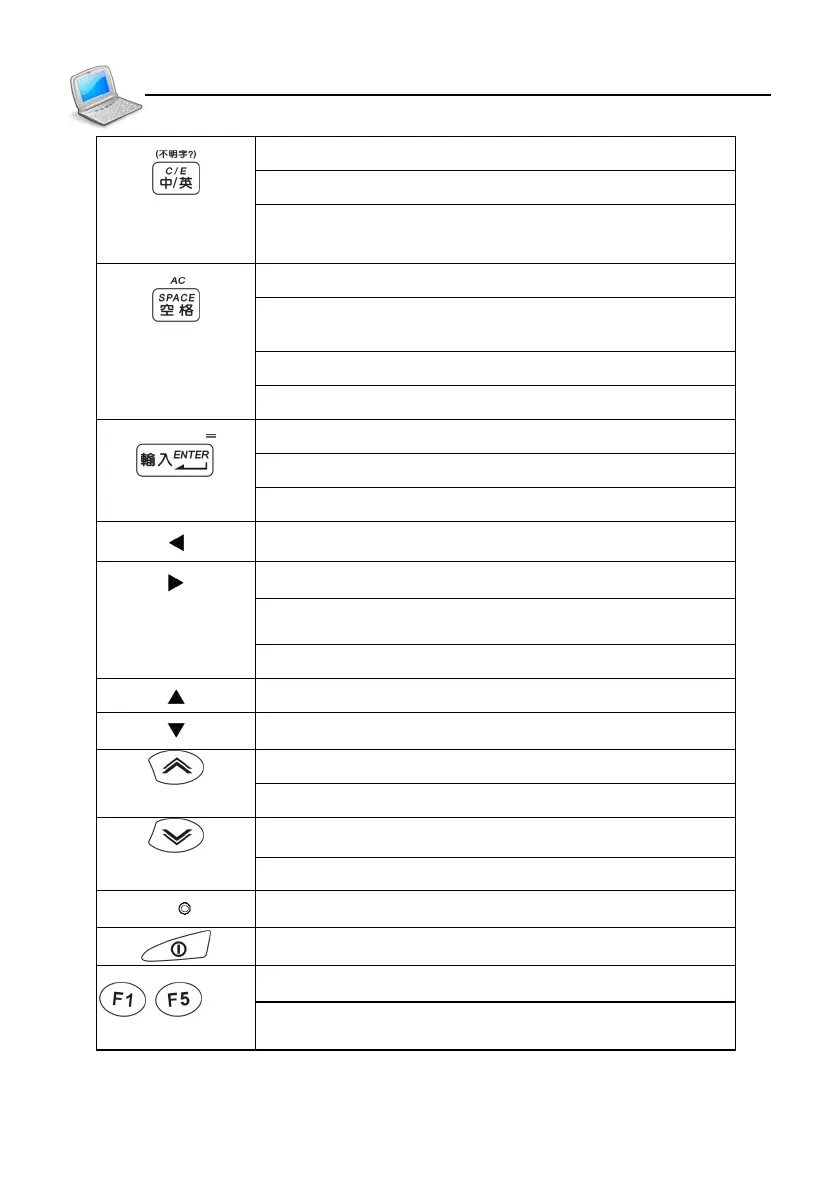
Switch Chinese/English mode when editing
Switch Chinese/Japanese/Korean/English menus
Input “?” instead of unknown word in index screen
Of dictionaries
Input a space when editing
The first tone in Mandarin phonetic/Pinyin input
method
Confirm the first choice while inputting Chinese
Mathematical sign: clear, same as [AC]
Confirm the current action
Move the cursor to the next line to input data
Mathematical sign: equal to [=] to calculate result
Left direction key/move cursor to left/page left
Right direction key/move cursor to right/page right
Pronounce or search when data is highlighted in the
definition screen of dictionaries
Modify equation in Tabulation calculation
Switch the cursor up or scroll a line up
Switch the cursor down or scroll a line down
Page up
View the previous record
Page down
View the next record
RESET key
Power on/off key
Select the corresponding main menu
~
Function keys, same as F1~F5 on the screen
Introduction to the Unit
Keyboard Buttons



 To Next Page