57
Dictionary
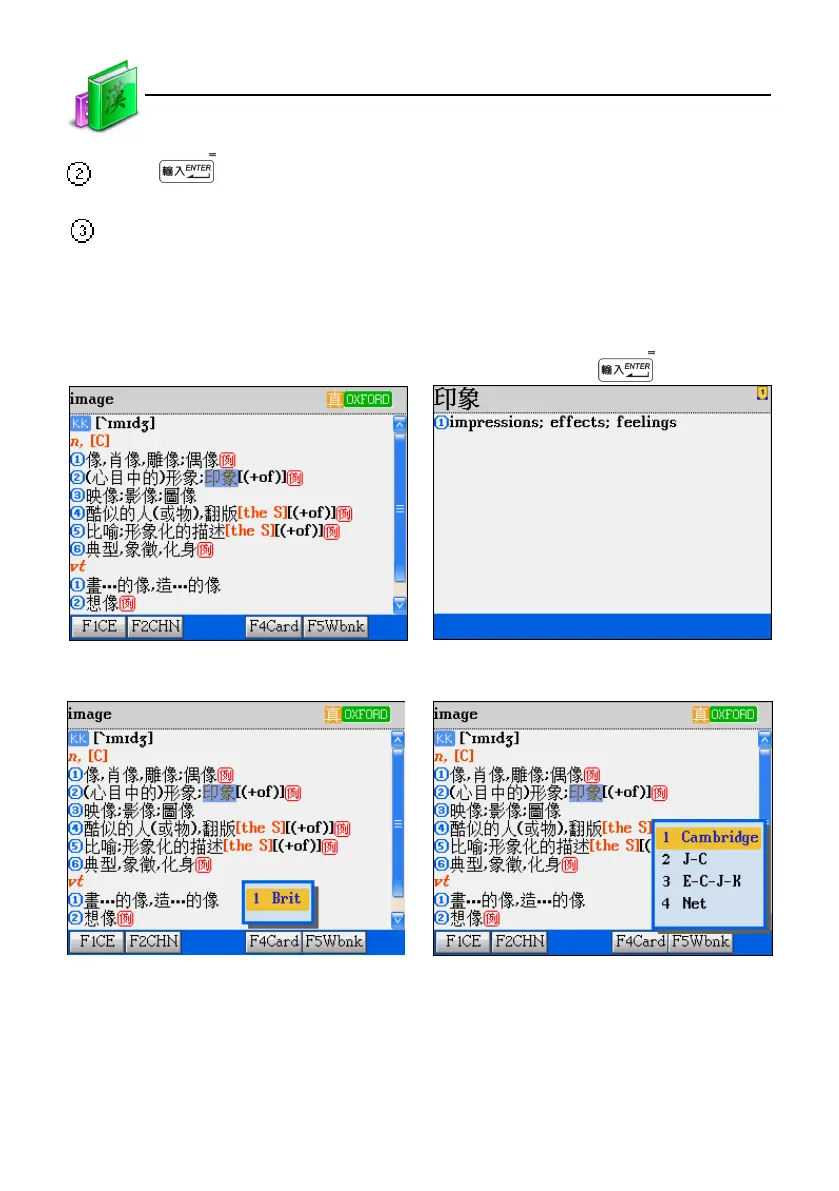
Press to search or press [F1], [F2], [F5] to search in corresponding dictionaries.
* If the smart media card is inserted, you may press [F4] to search in the card.
l
Press [ESC] to return the previous screen.
Ex. Looking up "image" in second dictionary.
Highlight “ 形象 ” Press [F1CE] or press
Press [F4Card] Press [F5Wbnk]
[F4Card] is active only when the Professional
Dictionary card is inserted.
This indicates the layer of cross search.
Data Search



 To Next Page