82
Study
[Review and Self-Test/Word Browser]
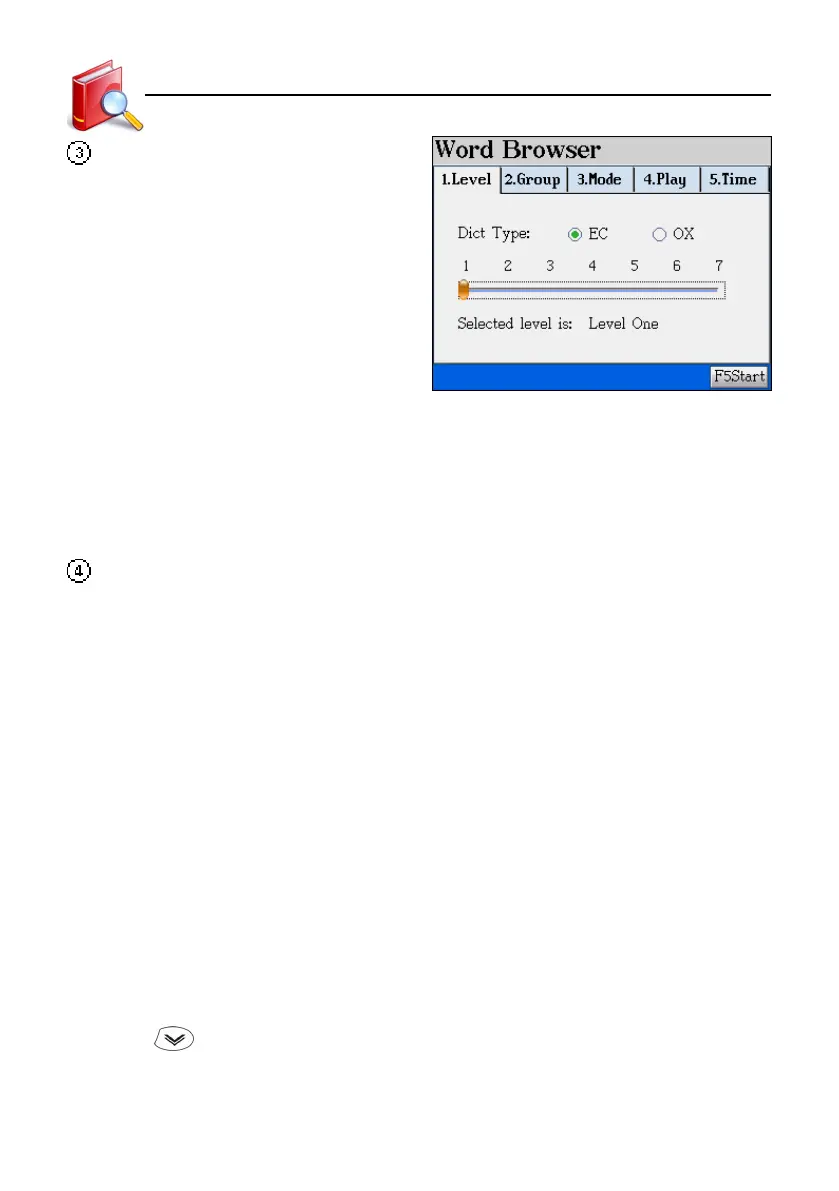
Review the words stored in “English-
Chinese Dictionary” and “Oxford Advanced
Dictionary”.
* Level : Select a dictionary and set level of difficulty.
* Group : Decide how many words in one group and select a group number for
browsing.
* Mod : Set display mode, KK/DJ phonetic symbol and whether to pronounce or not.
* Play : Set cycling play/single play.
* Time : Set browsing automatically (must set playing interval) or manually.
[Review and Self-Test/Sentence Making]: Rearrange the scramble sentence. There are 10
questions in each group. Each question has Chinese definition and clue. English words have
pronunciation. You may see the answer if you can’t complete the question. The score will be
displayed after each test. If necessary, press [SAVE] to save your selected sentences for
“Sentence Review”.
* Stylus operation : To fill the answer, just double tap the word. Or click the word , then
drag the word to the answer field.
* Keyboard operation : Press the direction key to select the word, then press [ENTER] to
move it; or press [SPACE] to lock (or unlock) it. Then an arrow is
marked beside the word. Move the arrow to where you want to
place the word, then press [ENTER] to move the word.
* Press [F1Answer] to view the correct answer and exit the question.
* Press [F2CHN] to view the Chinese definition. Press [ENTER]/[ESC] to continue rearranging
the sentences.
* Press [F3Pron] to listen to the correct answer in English. (7 points deducted )
* Press [F4Search] to obtain the definitions of the highlighted word. (2 points deducted)
* Press [F5Hint] to get a clue. (2 points deducted)
* Tap
to give up the current question, then go to the next. The system will automatically
check the answer when all words are put into the answer area.
Review and Self-Test



 To Next Page