BestCode Next Series 8 Technical Manual October 2022 Page 226 of 290
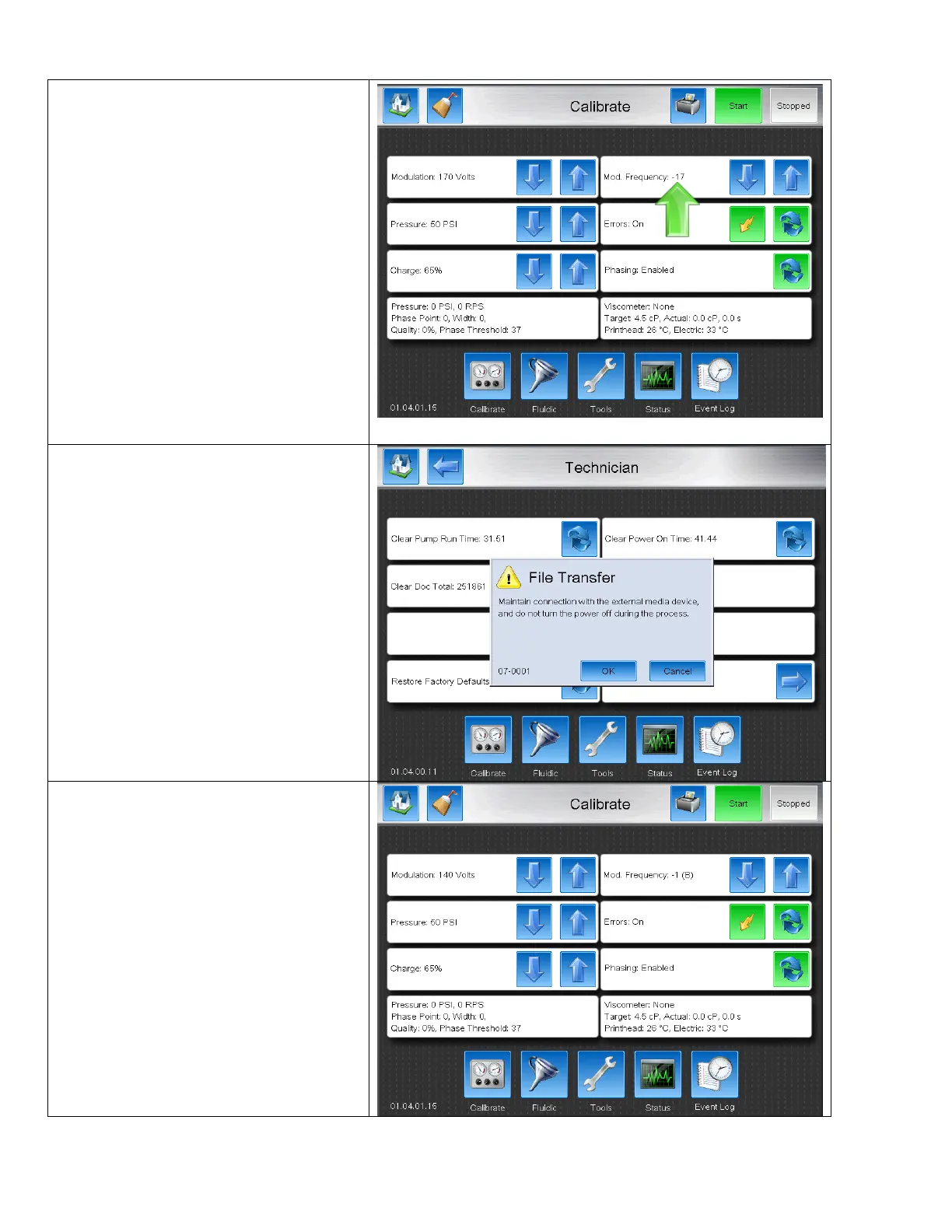
Lost Modulation Frequency – May cause 0A-0001, 0A-8001, 0A-8002, 0A-8003, or 0A-8004
1. On the Mod. Frequency, the number is
beyond the normal bounds (-5 to 4)
2. Install USB with correct firmware version.
3. Press the Restore Factory Defaults button.
4. Press OK on the File Transfer button.
5. Check that the Modulation, Pressure, and
Charge have been reset to Factory default.
These settings will vary by model.
6. Calibrate the modulation, pressure, and
Charge.



 To Next Page