BestCode Next Series 8 Technical Manual October 2022 Page 29 of 290
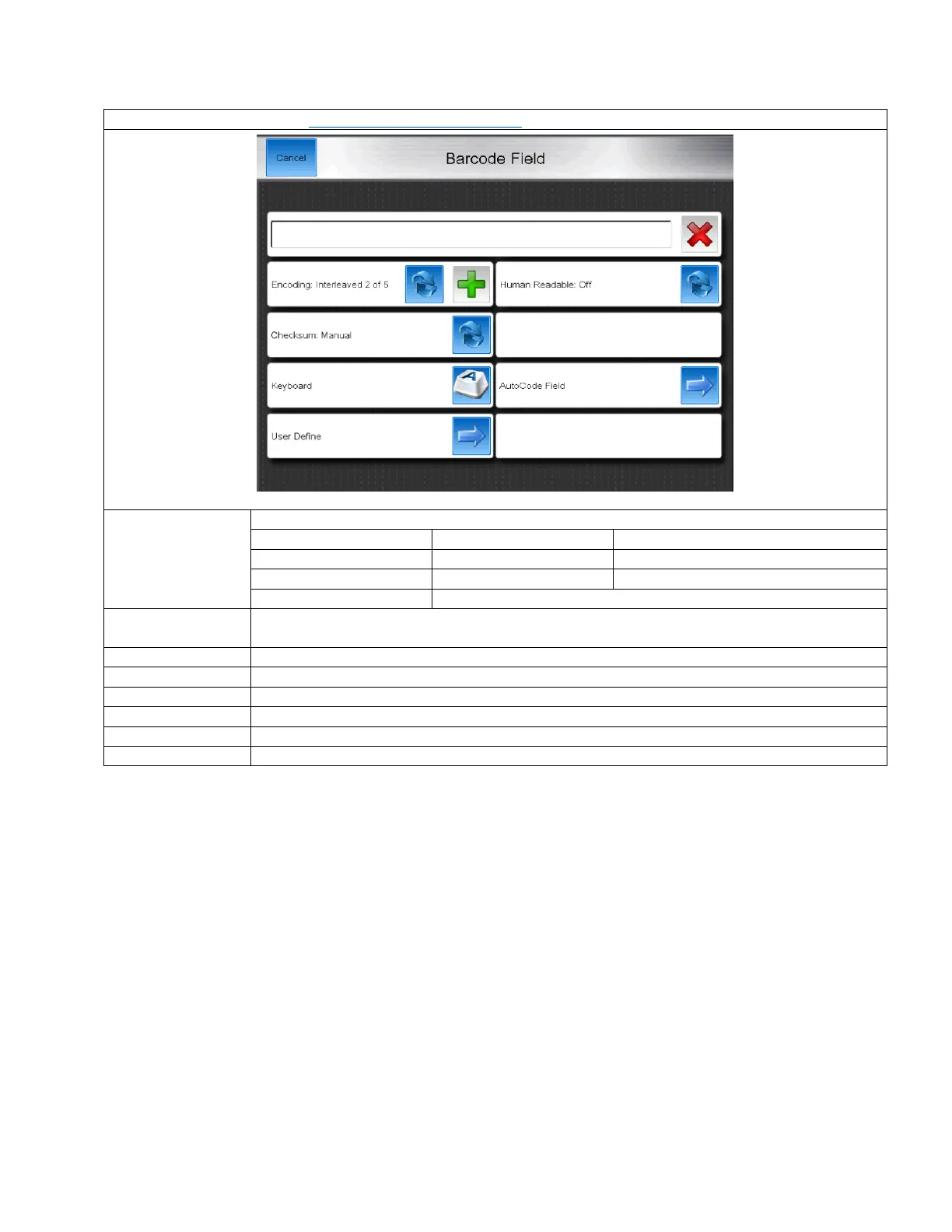
Barcode Field
Video Guide for Barcode Field: https://youtu.be/nWT-W7ZOUgw
Selects the type of barcode to be created. The following are available:
Toggles where a human readable version of the barcode data is included into the message editor.
This is not available for Data Matrix or QR Codes.
Manual or Auto. With Auto, the Printer will automatically create a checksum value for the code.
Code 128 Only. A, B, or C. Used in programming Code 128 barcodes.
QR Code and Data Matrix only. The height and width dimensions of the coded data.
Brings up the on screen keyboard for typing in text to the barcode.
Insert Autocode data into the barcode
Insert a User Define field into the barcode.



 To Next Page