BestCode Next Series 8 Technical Manual October 2022 Page 83 of 290
Printhead Clean Routine
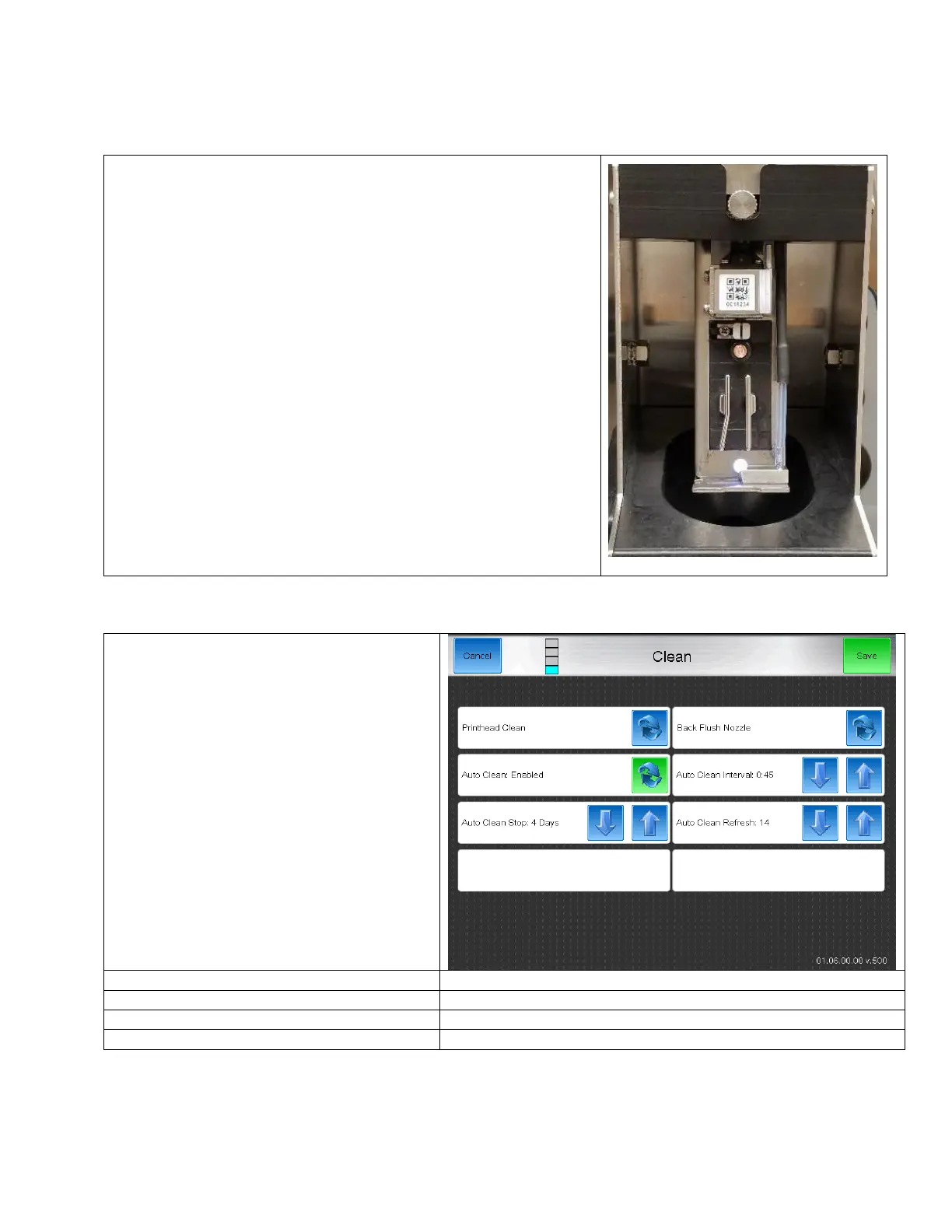
The printhead clean routine is used to clean out the drop generator and the gutter. This should be used at the end of a shift
after a Quick Stop is performed, and also by the technician to test the functionality of the Clean Stop routine. The Printhead
Clean routine is the same as the Clean Stop routine, but it can be forced to occur if the operator or technician desires.
1. Place the Printhead into the Printhead Clean Station (P/N 40-0020-01)
2. From the Home screen, enter the Clean screen, then the Printhead
Clean button
3. Inspect the printhead as the routine runs.
4. Make sure the tubes on the drop generator and the gutter are
completely clean by the end of the routine.
Start with the Default Cleaning Settings shown
Notes: The device must remain powered on for
the Auto Clean routine to operate correctly.



 To Next Page