BestCode Next Series 8 Technical Manual October 2022 Page 45 of 290
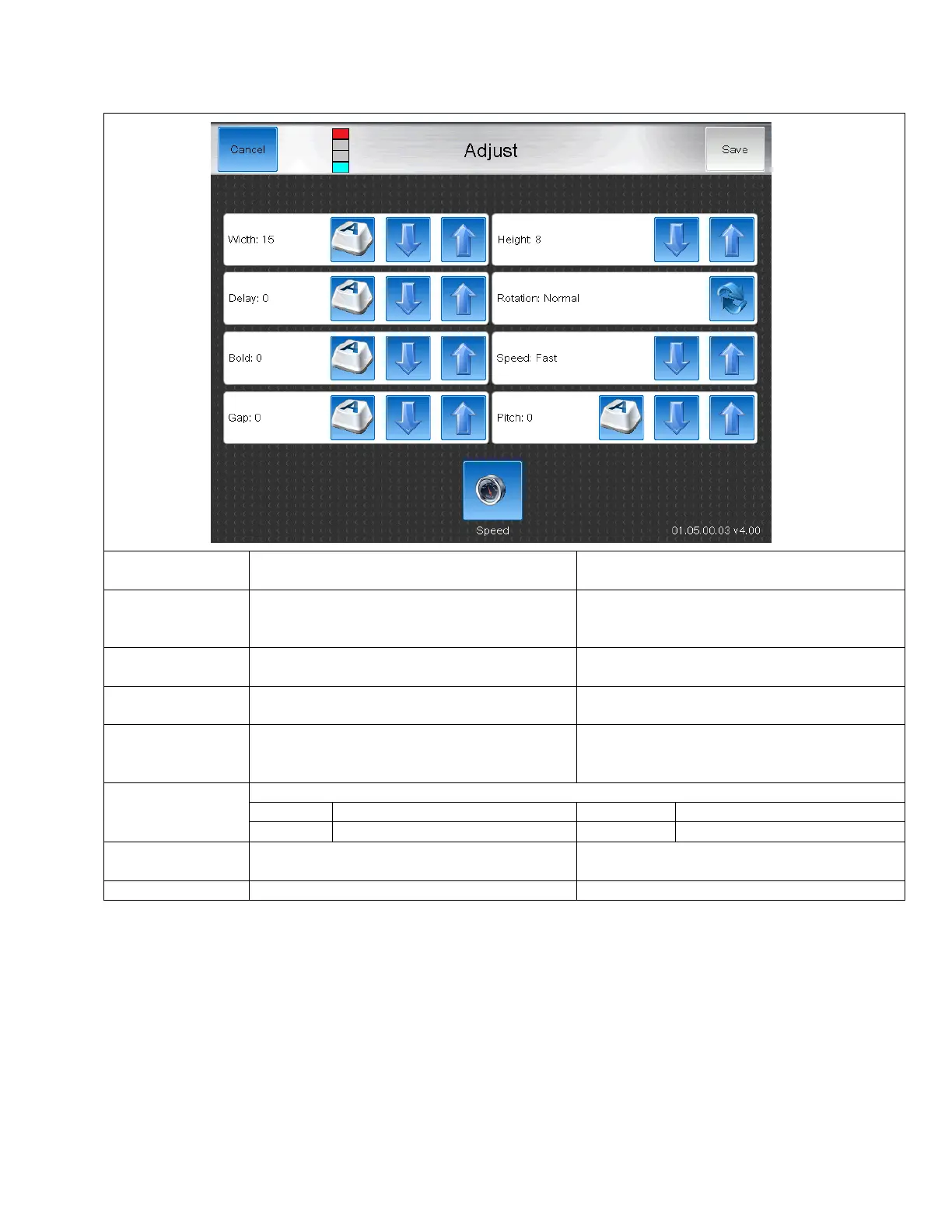
Adjust Screen
The Adjust screen allows the operator to adjust message settings.
Increases or decreases the length of the message
by stretching or shirnking the print
Increases or decreases the height of the print by
increasing or decreasing the strength of the high
voltage field in the printhead.
Increases or decreases the time between
receiving a print trigger and print occuring.
Rotates the direction that the print appears on
the product
Normal, Mirror, Flip, Mirror Flip
Each settings increases the width of the selected
field by adding more printed drops. Makes darker
print.
Used to increase the maximum print speed.
Faster than Fast, Good Quality
Fastest Print, Readable Code
Increases the space between characters in the
selected field.
Specifies the delay between repeated prints.



 To Next Page