BestCode Next Series 8 Technical Manual October 2022 Page 18 of 290
Procedure Time: 5 minutes
Video for Adding Ink and Makeup: https://youtu.be/X0NadNkWcAU
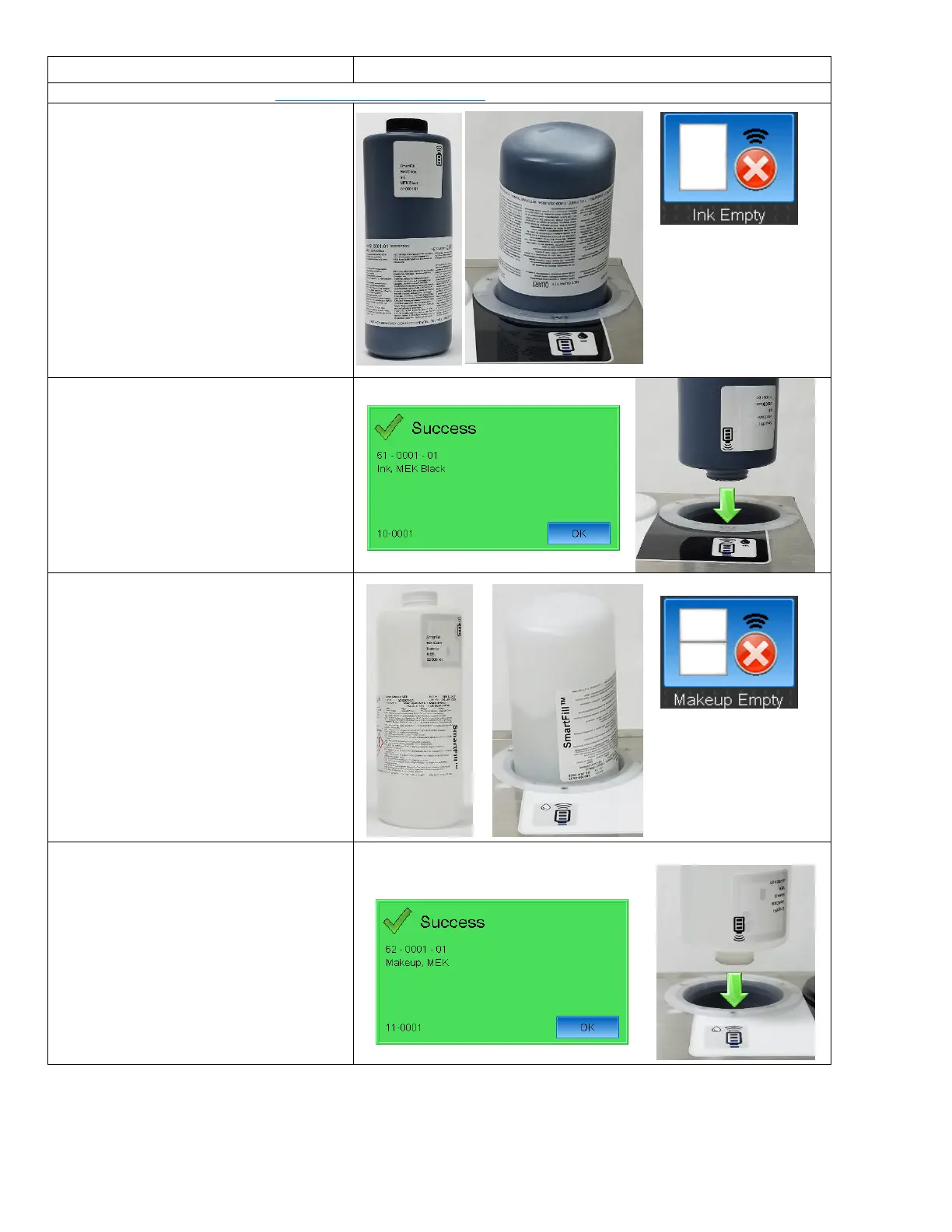
1. Place 1 un-opened bottle of Ink in the
Ink Smartfill Cup then press the Ink
Level button on the Home Screen.
Leave the Ink Cap on!
2. After the Success prompt, remove the
cap and press the bottle firmly into the
Ink Smartfill Cup.
3. Press OK after the bottle has completely
drained.
4. Place 1 un-opened bottle of Makeup in
the Makeup Smartfill Cup then press the
Makeup Level button on the Home
Screen.
Leave the Ink Cap on!
5. After the Success prompt, remove the
cap and press the bottle firmly into the
Makeup Smart Fill Cup.
6. Press OK after the bottle has completely
drained.



 To Next Page