BestCode Next Series 8 Technical Manual October 2022 Page 229 of 290
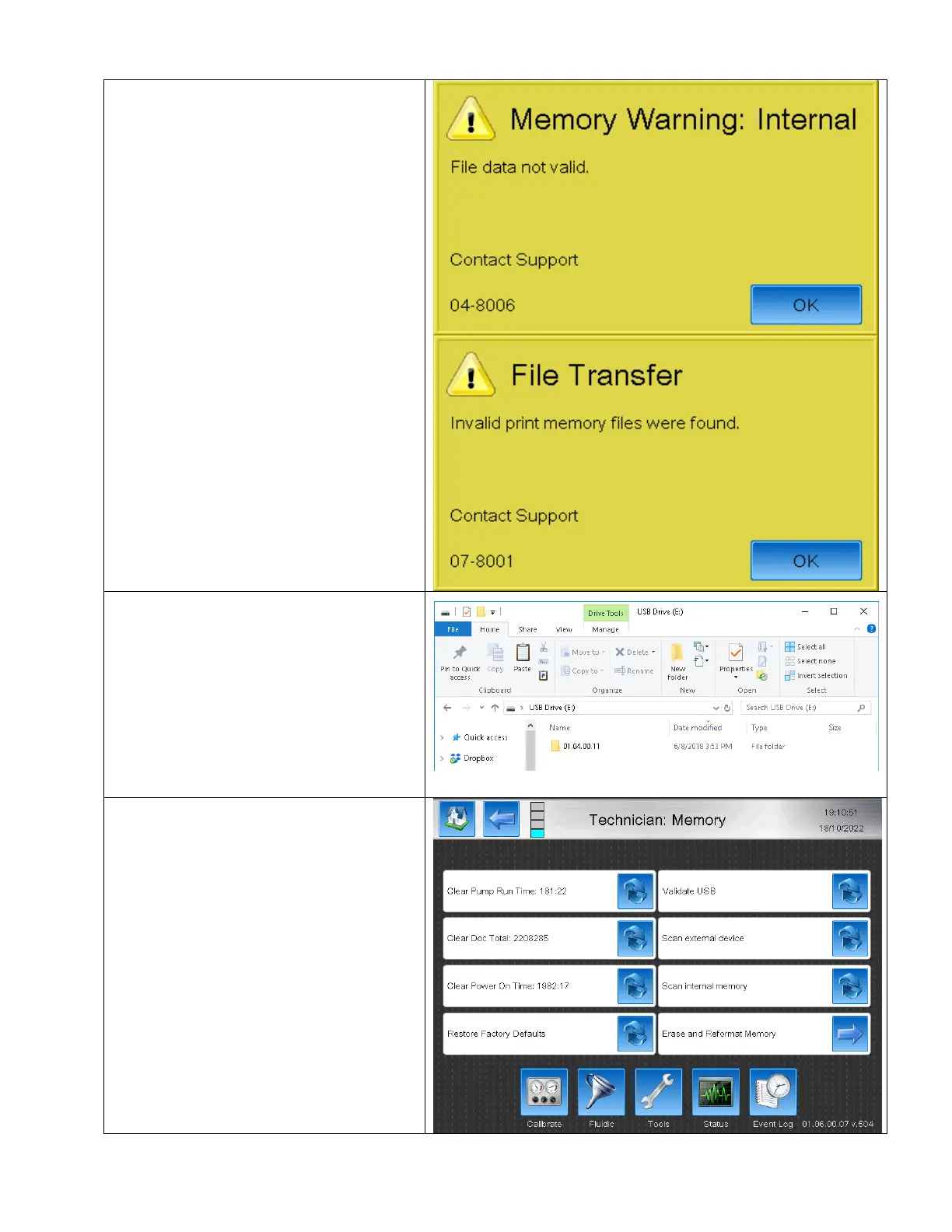
Corrupt USB Data – 04-8006 & 07-8001
1. If the previous versions on Firmware data
are copied into the bcData folder, the
warnings 04-8006 & 07-8001 will occur.
2. Install a new version of the correct
firmware onto the USB stick. Do not copy
files from previous versions into the new
version bcData folder.
3. Navigate to the Memory Screen
Home>Service>Tools>Technician>
Memory
4. Install the USB stick with Firmware version
matching the version installed on the
Printer.
5. Press the Erase and Reformat Memory
button.



 To Next Page