BestCode Next Series 8 Technical Manual October 2022 Page 237 of 290
BestCode Translator
All the text displayed in the User Interface can be modified to use different words. This feature also allows users to control
translations to other languages and to uniquely define their own translations.
Translation Editor
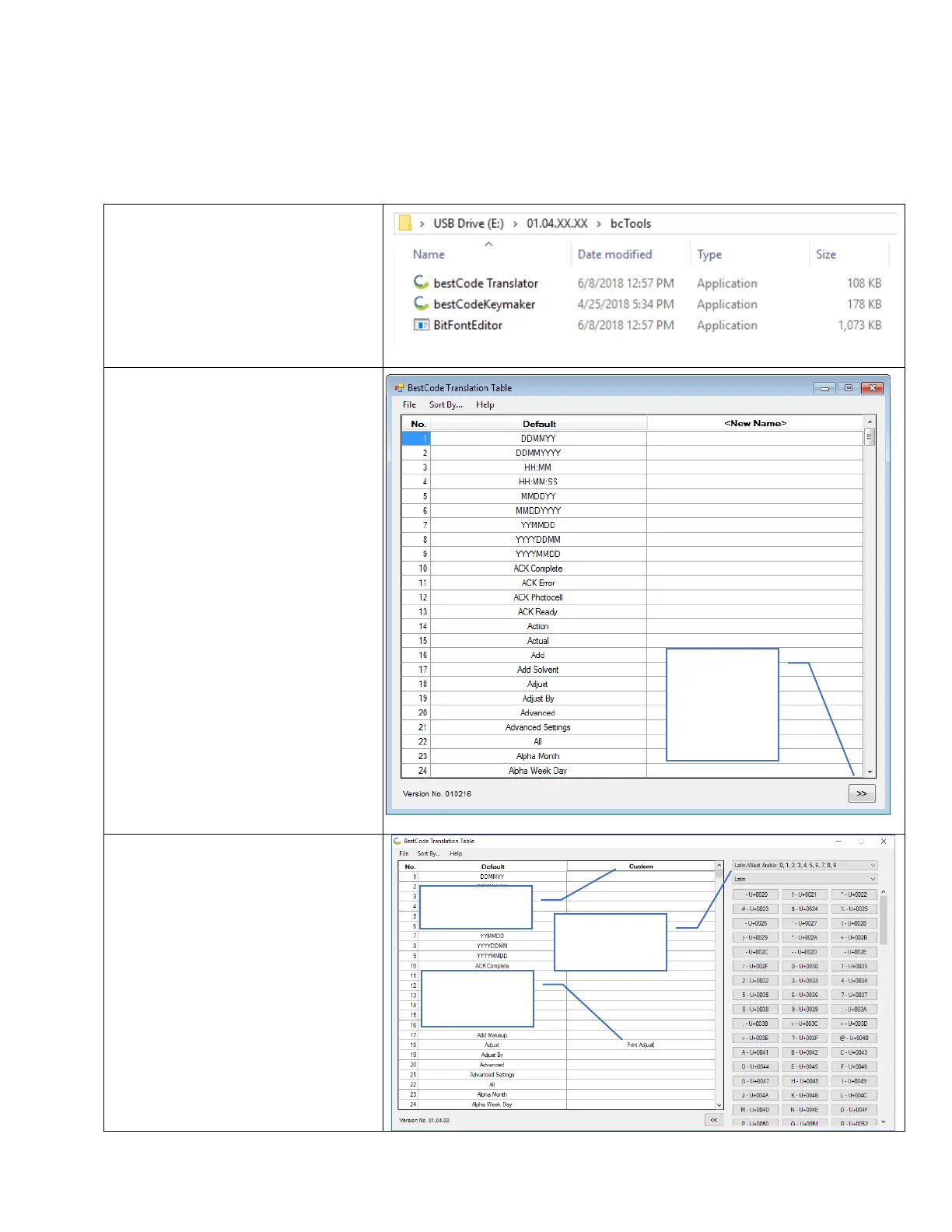
The Translations Editor is a tool used to “Replace” text and words in the Series 8 User interface.
1. Navigate to the bcTools folder
USBDRIVE>01.XX.XX.XX>
bcTools
Note:
01.XX.XX.XX will vary by version.
2. Open the bestCode Translator
Application.
3. Enter a Name for the Keyboard in
the <New Name> field
4. Populate the Right-Hand Column
with translation for the information
on the matching row.
5. Choose the Number and Character
set.
Advanced
Characters
and Number
Set



 To Next Page