BestCode Next Series 8 Technical Manual October 2022 Page 239 of 290
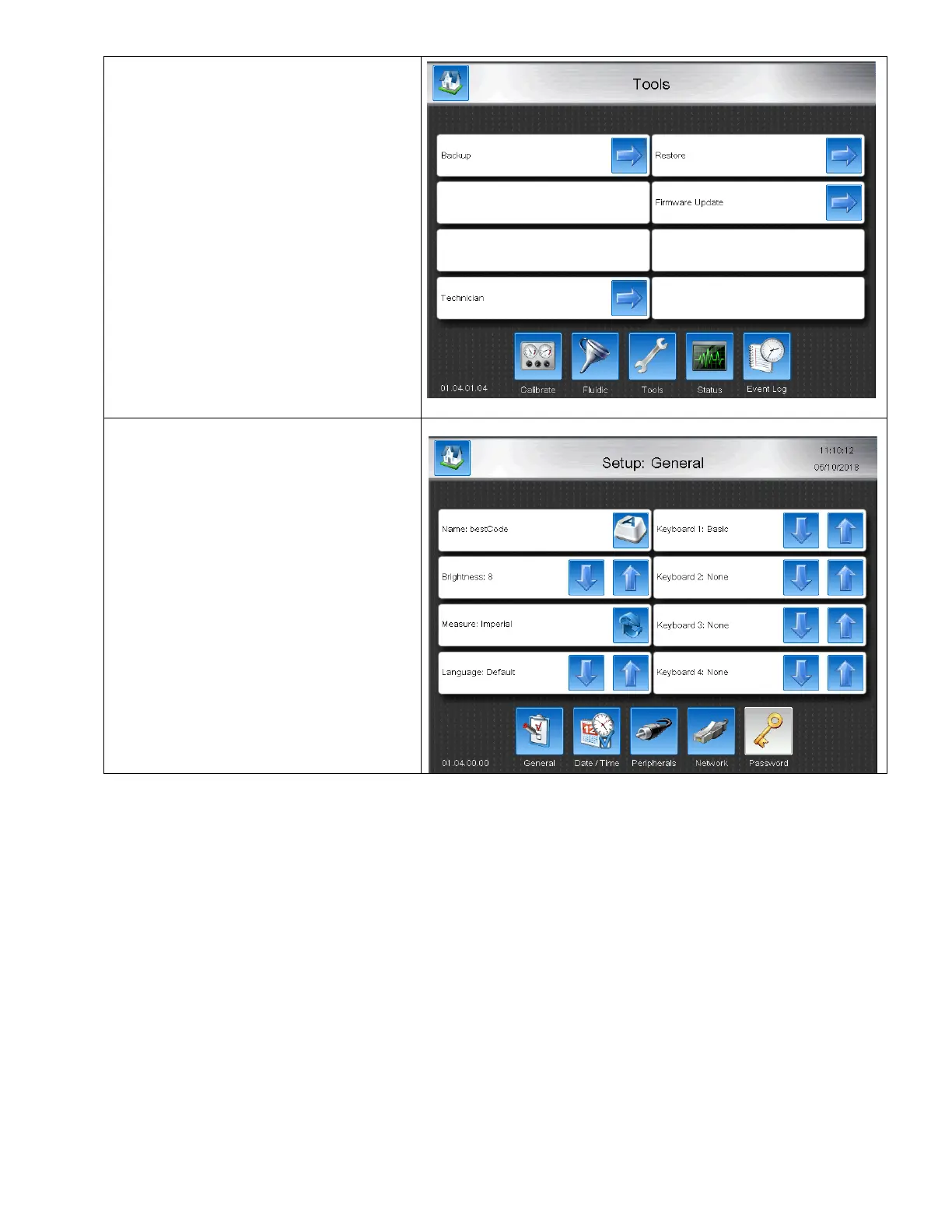
2. Navigate to Tools
Home>Service>Tools
3. Press Restore.
4. After completing the Restore process, the
translation is available.
Note:
Custom translations will not persist after
Firmware Upgrade.
5. Navigate to the Setup screen and use the
Language up and down arrow to find and
select the new translation for use.
Translating Alpha Codes
Alpha code translations are included in the Translation file. Days of the week, months, DDMMYY formats, etc are all
included in the translation file. Update these files are install the Translation to the BestCode Series 8. With desired language
selected, all Alpha Codes will update to Translated Language.



 To Next Page