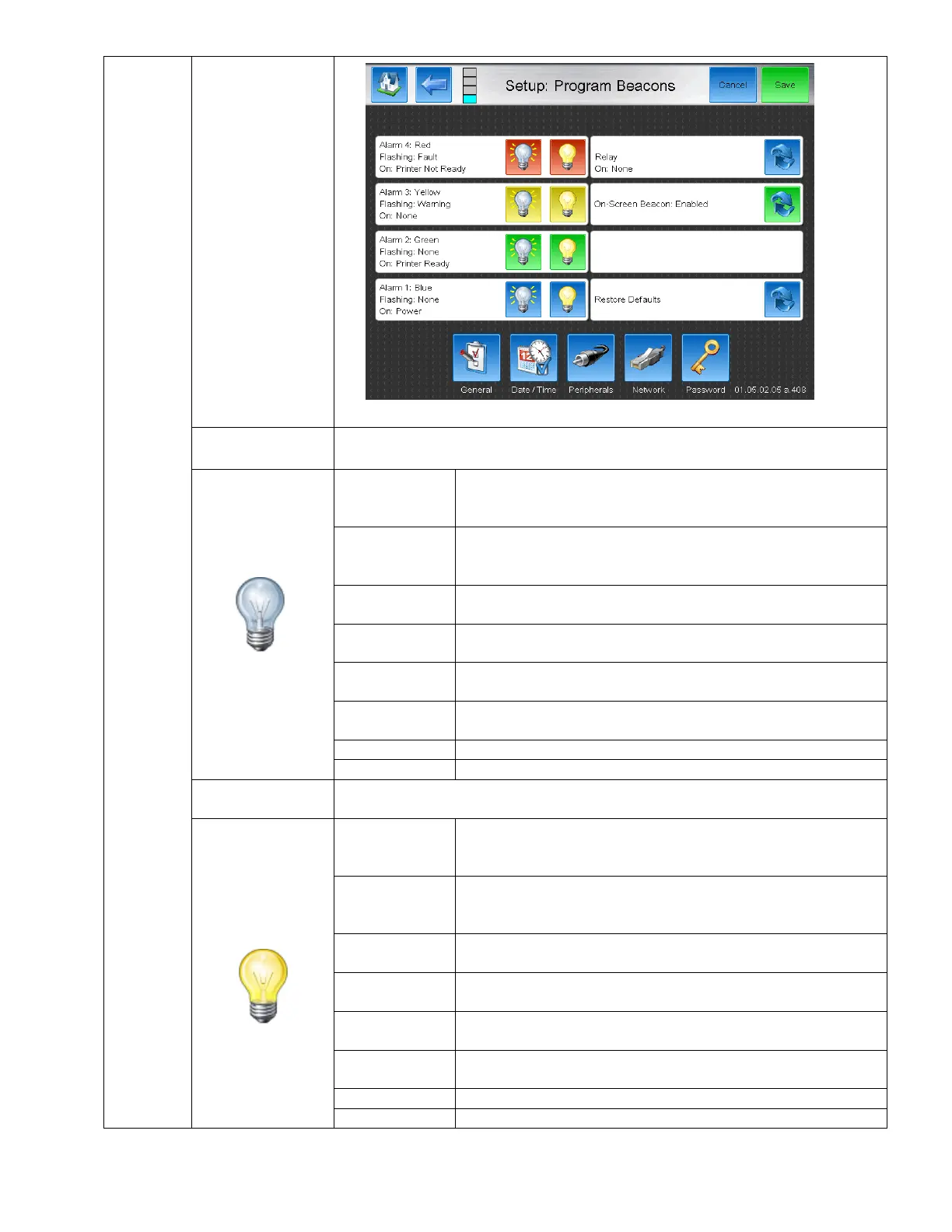
BestCode Next Series 8 Technical Manual October 2022 Page 61 of 290
Allows for
customized output
for the BestCode
Alarm Beacon kits.
The cooresponding beacon light will flash on and off while the specified state is
selected
Flash the coorsponding Alarm when a Fault occurs. A fault
causes the system to stop and a FAULT on screen prompt to
appear.
Flash the coorsponding Alarm when a warning occurs. A fault
causes the system to stop and a FAULT on screen prompt to
appear.
Flash the coorsponding Alarm when the printer is producing an
ink stream.
Flash the coorsponding Alarm when the printer is not producing
an ink stream.
Flash the coorsponding Alarm when the printer is ready and able
to print.
Flash the coorsponding Alarm when the printer is not ready or
unable to print.
Flash the coorsponding Alarm when the printer is powered on.
The cooresponding Alarm will never be in use.
The cooresponding beacon light will be on an steady while the specified state is
selected.
Lights the coorsponding Alarm when a Fault occurs. A fault
causes the system to stop and a FAULT on screen prompt to
appear.
Lights the coorsponding Alarm when a warning occurs. A fault
causes the system to stop and a FAULT on screen prompt to
appear.
Lights the coorsponding Alarm when the printer is producing an
ink stream.
Lights the coorsponding Alarm when the printer is not producing
an ink stream.
Lights the coorsponding Alarm when the printer is ready and able
to print.
Lights the coorsponding Alarm when the printer is not ready or
unable to print.
Lights the coorsponding Alarm when the printer is powered on.
The cooresponding Alarm will never be in use.



 To Next Page